Why Page Speed SEO Matters More Than Ever in 2026
Published by: Aamer Yousuf | Reading Time: 14 minutes
I still remember the day a client called me, frustrated because their beautifully designed website wasn’t getting any traffic. They’d invested thousands in custom graphics, animations, and features. Everything looked perfect—on paper.
Then I checked their page load time: 8.3 seconds.
That single number explained everything. No amount of stunning design can compensate for a slow website in 2026. Google doesn’t care how pretty your site looks if users are hitting the back button before it even loads.
Here’s the hard truth: page speed SEO isn’t just another item on your optimization checklist anymore. It’s the foundation that determines whether your website succeeds or fails in search rankings. And if you’re not paying attention to it, you’re already losing to competitors who are.
In this guide, I’ll show you exactly why page speed has become the most critical ranking factor in 2026, how it impacts every aspect of your online presence, and what you can do about it—starting today.
Table of Contents
What Is Page Speed SEO and Why Does It Matter?
Let’s start with the basics. Page speed SEO is the practice of optimizing your website’s loading time to improve search engine rankings and user experience. It’s not just about making your site “feel” faster—it’s about measurable performance that Google uses to determine where you rank.
Think of it this way: every time someone searches on Google, they’re making a choice. They click on a result, and within 3 seconds, they decide whether to stay or leave. Google tracks this behavior obsessively. If your site loads slowly and people bounce back to search results, Google learns that your page isn’t satisfying users—and your rankings drop accordingly.
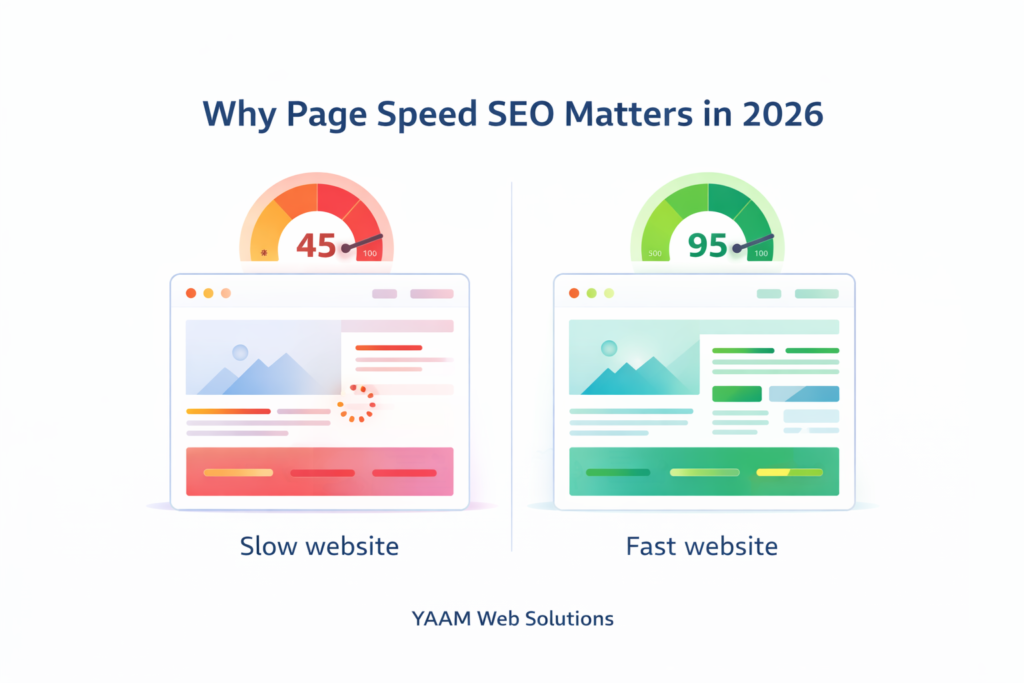
Why page speed is important for SEO in 2026 comes down to three core realities:
User Expectations Have Skyrocketed
Ten years ago, users would wait 10 seconds for a page to load. In 2026? Anything over 2 seconds feels slow. We’re living in an age of instant gratification, and your website needs to match that expectation.
Google’s Algorithm Has Evolved
Google isn’t guessing anymore. With billions of data points and advanced machine learning, they can precisely correlate page speed with user satisfaction. Sites that load quickly rank higher because Google knows they provide better experiences.
Competition Is Fiercer Than Ever
Your competitors are optimizing their page speed SEO. If you’re standing still, you’re falling behind. The businesses dominating search results in 2026 are those treating speed as a competitive weapon.
According to Google’s Core Web Vitals documentation, sites that meet recommended speed thresholds see measurably better engagement and conversion rates. This isn’t theory—it’s backed by real user data from millions of websites.
How Page Speed Affects SEO Rankings in 2026
The question I hear most often is: does website speed affect Google rankings? Not only does it affect rankings—it’s one of the most influential Google ranking factors 2026.
The Direct Impact
Google explicitly uses page speed ranking factor metrics in its algorithm. Core Web Vitals—which we’ll dive into shortly—are confirmed ranking signals. Two websites with identical content quality, backlinks, and authority? The faster one wins every single time.
The Indirect Cascade Effect
But here’s where it gets interesting. Speed influences dozens of other ranking signals that create a compounding effect:
- Bounce Rate: Slow sites have higher bounce rates, signaling to Google that users aren’t finding what they need
- Dwell Time: Fast sites keep users engaged longer, indicating quality content
- Pages Per Session: When pages load quickly, users browse more, sending positive engagement signals
- Return Visitors: Good experiences bring people back, another strong ranking signal
- Social Shares: Fast, pleasant experiences get shared more often
This is the multiplier effect of page speed SEO. You’re not just improving one metric—you’re creating a cascade of positive signals that elevate your entire SEO profile.
The Mobile-First Reality
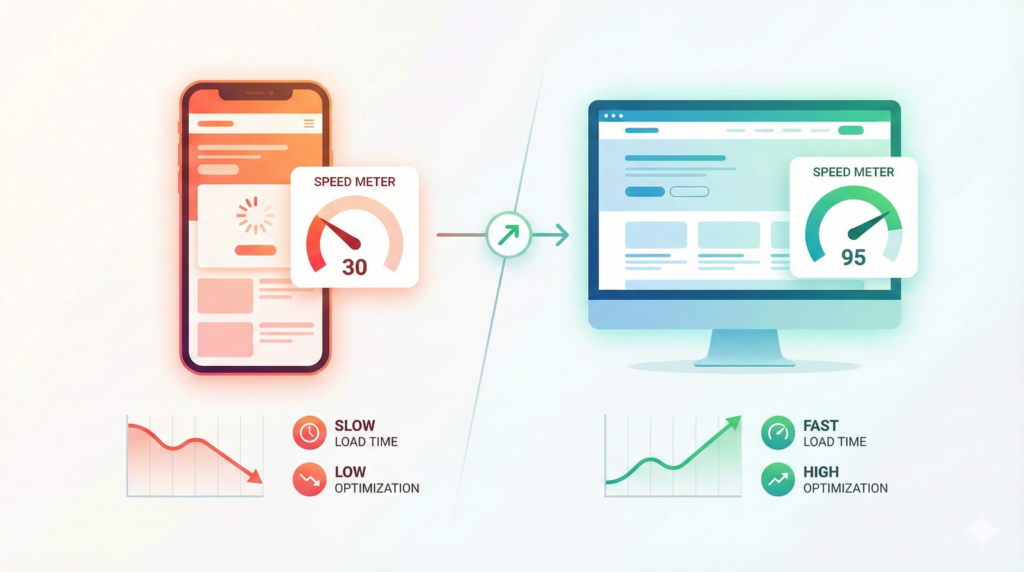
Since Google moved to mobile-first indexing, your mobile page load time SEO is what matters most. Even if your desktop site blazes at light speed, poor mobile performance will tank your rankings across all devices.
How page speed affects SEO in 2026 is fundamentally different than it was even two years ago. Google is measuring real-world performance from actual users on actual devices—not simulated tests in perfect conditions.
Core Web Vitals: The New Standard for Page Speed SEO
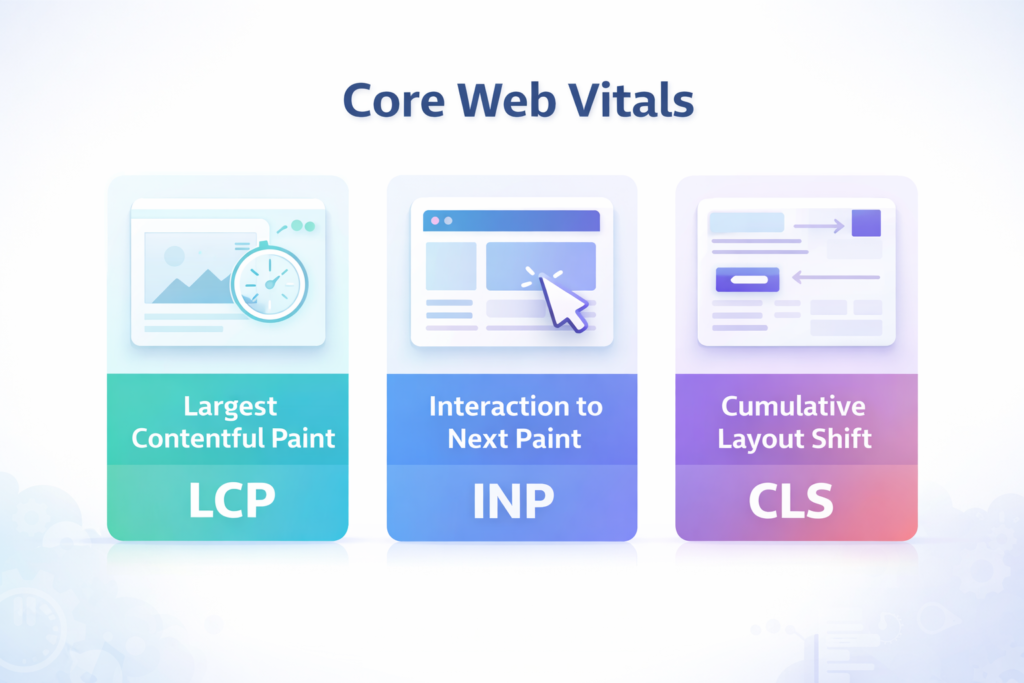
If you want to understand page speed SEO in 2026, you need to master Core Web Vitals SEO. These three metrics have become the universal language of web performance.
Largest Contentful Paint (LCP)
LCP measures how long it takes for your main content to load. This isn’t about when your page starts loading—it’s when the most important, visible content appears.
Google’s Standard: Under 2.5 seconds is good; over 4 seconds is poor.
Why It Matters: Users judge your site’s speed by when they can actually see and read content, not when technical resources finish loading in the background.
Common Culprits:
- Oversized hero images
- Slow server response times
- Render-blocking CSS and JavaScript
- Multiple third-party scripts loading synchronously
Interaction to Next Paint (INP)
This newer metric replaced First Input Delay and measures how responsive your site feels. When someone clicks a button, opens a menu, or fills out a form, how quickly does your site respond?
Google’s Standard: Under 200 milliseconds is good; over 500 milliseconds is poor.
Why It Matters: A site that loads fast but feels sluggish when you interact with it is just as frustrating as a slow-loading site. Users expect instant feedback from every action.
Common Culprits:
- Heavy JavaScript frameworks
- Unoptimized event handlers
- Long-running scripts blocking the main thread
- Excessive DOM size
Cumulative Layout Shift (CLS)
Ever started reading an article, only to have an ad load and push everything down, making you lose your place? That’s layout shift, and Google penalizes it heavily.
Google’s Standard: Below 0.1 is good; above 0.25 is poor.
Why It Matters: Layout instability is incredibly frustrating for users and signals poor design quality to Google.
Common Culprits:
- Images without defined dimensions
- Ads and embeds without reserved space
- Web fonts causing text to shift as they load
- Dynamically injected content pushing existing elements
Mastering these metrics is essential for effective Core Web Vitals optimization. You can check your site’s performance using Google PageSpeed Insights, which provides both lab and field data.
The Core Web Vitals impact on SEO rankings is substantial. According to research from multiple SEO authorities including Search Engine Journal, sites that pass all three Core Web Vitals thresholds see ranking improvements, while those failing see measurable declines—especially in competitive niches.
The Mobile Page Speed Revolution
Let me be blunt: if you’re not prioritizing mobile page speed SEO, you’re optimizing for the wrong internet.
Over 63% of Google searches now happen on mobile devices. Your mobile experience isn’t a secondary consideration—it’s the primary way Google evaluates your site. This makes mobile page speed ranking factors absolutely critical to your overall SEO success.
Why Mobile Is Harder to Optimize
Mobile creates unique challenges that don’t exist on desktop:
- Slower Networks: Users aren’t always on WiFi. Many browse on 4G or even 3G connections
- Less Processing Power: Mobile processors are significantly weaker than desktop CPUs
- Smaller Screens: Every byte matters more when screen real estate is limited
- Touch Interactions: Different input methods require different optimization approaches
The Mobile-First Indexing Impact
Since Google switched to mobile-first indexing, they primarily use your mobile site’s performance for ranking—even for desktop searches. This means:
- Your mobile speed directly affects your overall rankings
- Poor mobile performance hurts you even if desktop is fast
- Mobile Core Web Vitals are weighted more heavily than desktop
- Mobile usability issues can prevent you from ranking entirely
How fast should a website load in 2026 on mobile? Under 2 seconds for full page load, with LCP ideally under 1.5 seconds. Anything slower and you’re losing both rankings and conversions.
Real Mobile Optimization Strategies
Improving mobile page speed SEO requires a mobile-first mindset:
- Use responsive images that serve different sizes based on screen width
- Implement lazy loading aggressively—only load what users can see
- Minimize JavaScript, especially heavy frameworks
- Use AMP (Accelerated Mobile Pages) for content-heavy pages if appropriate
- Prioritize critical rendering path for above-the-fold content
When building websites at YAAM Web Solutions, we follow these mobile-first principles from day one. If you’re curious about the investment required for a properly optimized site, our guide on website development cost in India 2025 breaks down exactly what factors influence pricing—including performance optimization.
Real Business Impact: What Slow Speed Actually Costs You
Let’s talk money. Because at the end of the day, page speed SEO isn’t about technical metrics—it’s about business results.
The Conversion Rate Connection
Research from Portent found that:
- Sites loading in 1 second have a conversion rate 3x higher than sites loading in 5 seconds
- Conversion rates drop by an average of 4.42% for each additional second of load time
- The first 5 seconds of page load time have the highest impact on conversion rates
This isn’t marginal—it’s dramatic. If your site does $100,000/month in revenue and loads in 5 seconds instead of 2 seconds, you’re potentially losing $30,000+ monthly just from poor speed.
The Traffic Cost
Beyond conversions, slow speed directly impacts how much traffic you get:
Search Rankings: Lower rankings mean fewer clicks. The difference between position #1 and #5 is typically a 50-70% traffic drop.
Bounce Rate: Google estimates that 53% of mobile users abandon sites that take over 3 seconds to load. That’s over half your potential traffic gone instantly.
Return Visitors: Users remember slow experiences and actively avoid returning to slow sites, even if they initially converted.
The Brand Perception Problem
Speed shapes how people perceive your brand. A slow website subconsciously signals:
- Outdated technology
- Lack of professionalism
- Poor attention to detail
- Possible security vulnerabilities
Fast sites signal the opposite—modernity, competence, and trustworthiness. In competitive markets, this perception difference can be decisive.
The fast website SEO benefits extend far beyond rankings into every aspect of your business performance. Understanding this broader impact is crucial for making informed decisions about website performance optimization investments.
Technical SEO Performance: What Google Is Actually Measuring
When we talk about technical SEO performance, we’re referring to the backend factors that determine your page speed SEO success. Let’s break down what Google is actually tracking.
Server Response Time (TTFB)
Time to First Byte measures how quickly your server responds to requests. This happens before any content even starts loading.
Target: Under 200 milliseconds
Impact: Slow servers create a bad foundation that affects all other metrics
Improvement Strategies:
- Upgrade to quality hosting with SSD drives
- Implement server-level caching
- Use a CDN to reduce physical distance
- Optimize database queries
- Consider upgrading to dedicated or VPS hosting
Resource Load Time
How efficiently do your CSS, JavaScript, images, and other resources load?
Key Metrics:
- Number of HTTP requests
- Total resource size
- Load order and dependencies
- Blocking vs. non-blocking resources
Improvement Strategies:
- Minify CSS and JavaScript files
- Combine files to reduce requests
- Use async/defer for non-critical scripts
- Implement critical CSS inline
- Lazy load below-the-fold resources
Rendering Performance
How quickly can browsers paint your content on screen?
Key Considerations:
- Critical rendering path optimization
- Above-the-fold content prioritization
- Font loading strategy
- Image rendering optimization
Many businesses struggle with balancing visual appeal and speed. Tools like Canva Pro have made it easier to create optimized graphics—our article on Canva Pro 2025 new features shows how modern design tools can help maintain quality while optimizing for web performance.
How to Improve Page Speed for SEO: Proven Strategies
Ready for action? Here are the best page speed optimization techniques that actually move the needle on your page speed SEO performance.
1. Image Optimization: The Biggest Quick Win
Images typically account for 50-70% of total page weight. Optimizing them delivers immediate, dramatic improvements.
Action Steps:
- Convert images to WebP format (30-80% smaller than JPEG)
- Compress images before uploading (use TinyPNG or ImageOptim)
- Implement lazy loading for all below-the-fold images
- Use responsive images with srcset attributes
- Set explicit width and height attributes to prevent layout shift
- Use CSS sprites for multiple small icons
- Remove image metadata (EXIF data)
Tools: ShortPixel, Imagify, Cloudinary, Squoosh
2. Code Minification and Compression
Every character in your CSS, JavaScript, and HTML adds weight. Minification removes unnecessary characters without changing functionality.
Action Steps:
- Minify all CSS and JavaScript files
- Enable Gzip or Brotli compression on your server
- Remove unused CSS (PurgeCSS or similar tools)
- Eliminate render-blocking resources
- Defer non-critical JavaScript
- Inline critical CSS for above-the-fold content
Impact: Typically reduces file sizes by 30-50%
3. Browser Caching Strategy
Caching tells browsers to store certain resources locally, dramatically speeding up repeat visits.
Action Steps:
- Set appropriate cache headers for static resources
- Use versioning for cache busting when files update
- Leverage service workers for advanced caching
- Implement HTTP/2 or HTTP/3 for better performance
Cache Durations:
- Images: 1 year
- CSS/JavaScript: 1 year (with versioning)
- HTML: No cache or very short (to ensure fresh content)
4. Content Delivery Network (CDN)
CDNs distribute your content across global servers, serving users from the closest geographic location.
Why It Matters:
- Reduces latency by 40-60% on average
- Improves resilience and reliability
- Handles traffic spikes better
- Often includes automatic image optimization
Popular Options: Cloudflare, BunnyCDN, Amazon CloudFront, KeyCDN
5. Database Optimization
For WordPress and other database-driven sites, database bloat silently kills performance.
Action Steps:
- Remove post revisions and auto-drafts
- Clean spam comments and transients
- Optimize database tables regularly
- Use object caching (Redis or Memcached)
- Index frequently queried database fields
Impact: Can improve dynamic page generation by 2-5x
6. Third-Party Script Management
Every third-party script—analytics, ads, chat widgets, social media buttons—adds overhead.
Action Steps:
- Audit all third-party scripts quarterly
- Remove anything non-essential
- Load third-party scripts asynchronously
- Use tag managers to control script loading
- Consider self-hosting critical scripts
Reality Check: Each third-party script typically adds 100-500ms to load time
These site speed best practices form the foundation of effective page speed SEO. Implementing even 3-4 of these strategies can improve your load time by 50% or more.
Page Speed SEO Checklist 2026
Here’s your complete page speed SEO checklist 2026 to ensure nothing gets missed:
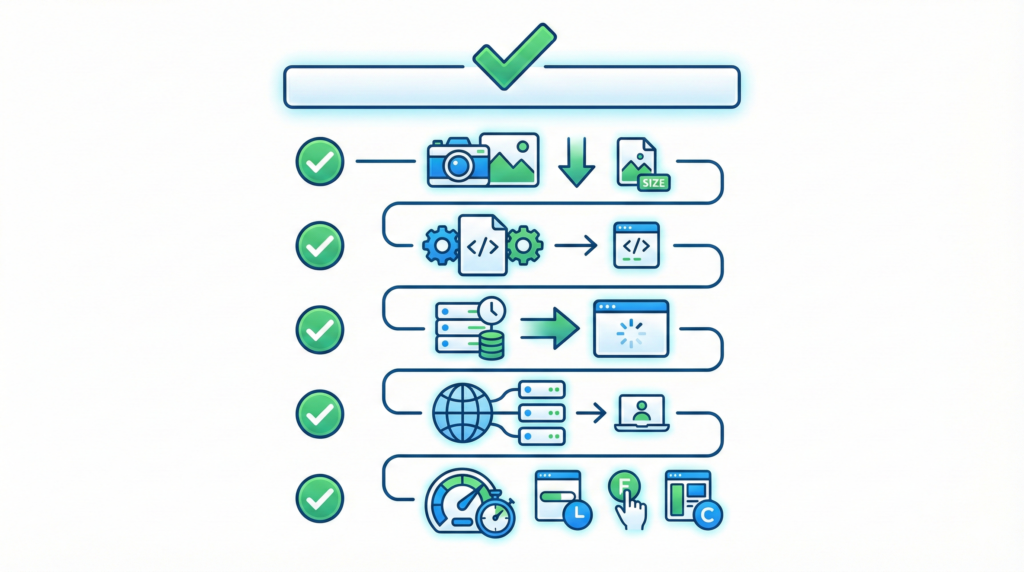
Technical Foundation
- [ ] Quality hosting with SSD and adequate resources
- [ ] HTTP/2 or HTTP/3 enabled
- [ ] SSL certificate installed (HTTPS)
- [ ] Server response time under 200ms
- [ ] Gzip/Brotli compression enabled
- [ ] CDN configured and working
Image Optimization
- [ ] All images compressed and optimized
- [ ] WebP format implemented with fallbacks
- [ ] Lazy loading enabled for below-fold images
- [ ] Images have explicit width/height attributes
- [ ] Responsive images using srcset
- [ ] No unnecessary large background images
Code Optimization
- [ ] CSS minified and compressed
- [ ] JavaScript minified and compressed
- [ ] Unused CSS removed
- [ ] Critical CSS inlined
- [ ] JavaScript deferred or async loaded
- [ ] Render-blocking resources eliminated
Caching Strategy
- [ ] Browser caching properly configured
- [ ] Cache headers set correctly
- [ ] Server-side caching implemented
- [ ] Database query caching enabled
- [ ] Object caching for dynamic content
Mobile Optimization
- [ ] Mobile-responsive design
- [ ] Touch targets appropriately sized
- [ ] No intrusive interstitials
- [ ] Font sizes readable on mobile
- [ ] Horizontal scrolling eliminated
Core Web Vitals
- [ ] LCP under 2.5 seconds
- [ ] INP under 200 milliseconds
- [ ] CLS under 0.1
- [ ] All elements have size attributes
- [ ] No layout shifts from dynamic content
Content Efficiency
- [ ] Above-the-fold content prioritized
- [ ] Below-fold content lazy loaded
- [ ] Third-party scripts minimized
- [ ] Fonts optimized (WOFF2, font-display)
- [ ] No redirect chains
Monitoring & Testing
- [ ] Google Search Console monitoring active
- [ ] PageSpeed Insights checked monthly
- [ ] Real User Monitoring (RUM) implemented
- [ ] Automated performance testing in CI/CD
- [ ] Performance budget defined and enforced
Print this checklist and work through it systematically. Don’t try to tackle everything at once—prioritize based on what will have the biggest impact for your specific site.
Common Mistakes That Kill Your Page Speed SEO
Even well-intentioned efforts can backfire if you make these common mistakes:
Mistake #1: Over-Reliance on Plugins
The Problem: Every WordPress plugin adds code, database queries, and potential conflicts. I’ve seen sites with 40+ plugins that could accomplish the same functionality with 10.
The Fix: Audit plugins quarterly. Remove anything you’re not actively using. Replace multiple plugins with single, well-coded alternatives.
Mistake #2: Ignoring Hosting Quality
The Problem: Saving $5/month on cheap shared hosting while spending thousands on marketing is penny-wise and pound-foolish.
The Fix: Invest in quality managed hosting. The performance difference between budget shared hosting and good managed WordPress hosting is often 3-5x faster load times.
Mistake #3: Desktop-Only Testing
The Problem: Testing your site only on your powerful laptop with fast internet doesn’t reflect real user experiences.
The Fix: Test on actual mobile devices using throttled networks. Use PageSpeed Insights for real-world field data from actual users.
Mistake #4: Focusing Only on Homepage Speed
The Problem: Your homepage might be fast, but what about product pages, blog posts, and landing pages that actually drive conversions?
The Fix: Test and optimize your most important conversion pages, not just your homepage. Different page types often require different optimization strategies.
Mistake #5: Adding Features Without Speed Consideration
The Problem: That cool parallax effect, animated slider, or live chat widget seems small, but each addition compounds.
The Fix: Establish a performance budget. Before adding any new feature, test its impact on load time. If it adds more than 0.5 seconds, seriously question whether it’s worth it.
Mistake #6: Not Monitoring After Launch
The Problem: You optimize once, launch the improved site, and never check again. Meanwhile, performance gradually degrades as new content and features get added.
The Fix: Set up automated monitoring and establish quarterly performance reviews. Make speed a permanent part of your maintenance process.
If you’re planning a website migration or redesign, speed optimization should be built into the process from day one. Our guide on website migration without losing SEO covers how to preserve—and improve—your performance during transitions.
Tools to Measure and Monitor Your Performance
You can’t improve what you don’t measure. Here are the essential tools for tracking your page speed SEO performance:
Google PageSpeed Insights
What It Does: Provides both lab data (simulated) and field data (real users) with specific recommendations.
Why Use It: Official Google tool, free, comprehensive, includes both mobile and desktop scores.
URL: https://pagespeed.web.dev/
Google Search Console
What It Does: Shows your Core Web Vitals performance across your entire site, grouped by similar pages.
Why Use It: Official Google data showing exactly how Google sees your site’s performance.
Key Feature: Identifies specific URLs failing Core Web Vitals thresholds.
GTmetrix
What It Does: Detailed waterfall charts showing exactly what loads when, plus performance recommendations.
Why Use It: More detailed technical analysis than PageSpeed Insights, great for developers.
URL: https://gtmetrix.com/
WebPageTest
What It Does: Advanced testing with customizable locations, devices, and connection speeds.
Why Use It: Most detailed testing available, including filmstrip view and video capture.
URL: https://www.webpagetest.org/
Chrome DevTools
What It Does: Built-in browser tools for real-time performance analysis.
Why Use It: Free, already installed, perfect for development and debugging.
Key Features: Network waterfall, performance profiling, Lighthouse audits.
Real User Monitoring (RUM)
What It Does: Tracks actual user experiences on your live site.
Why Use It: Lab tests are helpful, but real user data is what actually matters.
Options: Google Analytics, New Relic, SpeedCurve, Cloudflare Analytics.
Setting Up Monitoring
Don’t just test once—establish ongoing monitoring:
- Weekly: Quick PageSpeed Insights check on key pages
- Monthly: Full site audit with GTmetrix or WebPageTest
- Quarterly: Comprehensive performance review and optimization
- Continuous: Real User Monitoring tracking all visits
Set up alerts so you’re notified immediately if performance degrades below acceptable thresholds.
FAQ: Your Page Speed SEO Questions Answered
Why page speed is important for SEO in 2026?
Page speed is important for SEO in 2026 because it directly impacts both user experience and Google’s ranking algorithm. Google has explicitly confirmed that Core Web Vitals (which measure page speed) are ranking factors. Beyond direct ranking impact, fast sites have lower bounce rates, higher engagement, and better conversion rates—all signals that influence rankings. With user expectations at an all-time high and mobile usage dominating, speed has become non-negotiable for competitive search visibility.
Does website speed affect Google rankings?
Yes, website speed directly affects Google rankings. Google officially uses Core Web Vitals (LCP, INP, and CLS) as ranking signals. However, speed’s impact goes beyond direct ranking factors—it influences bounce rate, dwell time, pages per session, and conversion rates, all of which Google uses to evaluate page quality. In competitive niches, the difference between a 2-second and 4-second load time can mean the difference between first-page and third-page rankings.
How to improve page speed for SEO?
To improve page speed for SEO, focus on these proven strategies: optimize and compress images (convert to WebP format), enable browser caching, minify CSS and JavaScript, use a Content Delivery Network (CDN), upgrade to quality hosting, implement lazy loading for below-fold content, reduce third-party scripts, and optimize your database. Start with image optimization as it typically delivers the biggest immediate improvement, then work through other techniques systematically based on your specific bottlenecks.
How fast should a website load in 2026?
In 2026, your website should load in under 2 seconds for optimal performance. More specifically, your Largest Contentful Paint (LCP) should be under 2.5 seconds, Interaction to Next Paint (INP) under 200 milliseconds, and Cumulative Layout Shift (CLS) under 0.1 to pass Google’s Core Web Vitals thresholds. Competitive sites are pushing toward 1-1.5 second full page loads. Anything over 3 seconds significantly increases bounce rates and hurts both rankings and conversions.
What are the best page speed optimization techniques?
The best page speed optimization techniques include: implementing WebP image format with lazy loading, enabling Gzip/Brotli compression, using a CDN for global content delivery, minifying and combining CSS/JavaScript files, eliminating render-blocking resources, optimizing server response time with quality hosting, implementing browser caching with appropriate headers, reducing third-party scripts, and optimizing database queries. For maximum impact, prioritize techniques based on your specific bottlenecks identified through tools like PageSpeed Insights.
What is the Core Web Vitals impact on SEO rankings?
Core Web Vitals have a significant impact on SEO rankings in 2026. Sites that pass all three Core Web Vitals thresholds (LCP, INP, CLS) receive a ranking boost, while those failing see ranking penalties—particularly in competitive niches. According to various SEO studies, improving Core Web Vitals can result in 5-20% increases in organic traffic. The impact is most pronounced in mobile search results, where user experience factors are weighted more heavily.
Fast website vs slow website SEO comparison?
When comparing fast vs slow websites for SEO, the differences are dramatic. Fast websites (under 2 seconds) typically have 40-60% lower bounce rates, 2-3x higher conversion rates, better engagement metrics, and significantly higher search rankings. Slow websites (over 4 seconds) lose over 50% of potential visitors before the page even loads, rank lower in search results, generate fewer backlinks (people don’t link to slow sites), and create negative brand perception. The cumulative effect means fast sites often receive 5-10x more organic traffic than comparable slow sites.
Page speed optimization for businesses—is it worth the investment?
Page speed optimization for businesses is absolutely worth the investment, often delivering 3-10x ROI. A typical optimization investment of $2,000-$5,000 can result in 20-50% increases in conversions, better search rankings driving more organic traffic, reduced advertising costs through better Quality Scores, and improved brand perception. For e-commerce sites, even a 0.1-second improvement in load time can translate to thousands of dollars in additional monthly revenue. The question isn’t whether to invest in speed optimization, but whether you can afford not to while competitors pull ahead.
What are mobile page speed ranking factors?
Mobile page speed ranking factors include all Core Web Vitals metrics (LCP, INP, CLS) measured on mobile devices, mobile-specific user experience signals like touch target sizes and font readability, network efficiency (how well your site performs on 4G/3G), mobile-specific resource optimization (smaller images, lighter JavaScript), mobile usability factors (no intrusive interstitials, responsive design), and real-world mobile performance data from actual users. Since Google uses mobile-first indexing, these mobile factors determine your rankings across all devices, making mobile speed optimization critical.
Final Thoughts: Speed Is Non-Negotiable
We’ve covered a lot of ground, but the core message is simple: in 2026, page speed SEO isn’t optional. It’s the foundation of everything else you do online.
You can have the best content, the most authoritative backlinks, the most beautiful design—but if your site is slow, you’re building on sand. Speed affects every metric that matters: rankings, traffic, conversions, user satisfaction, and revenue.
The good news? Unlike many SEO factors, speed is largely within your control. You don’t need to wait for Google to update its algorithm or for competitors to slip. You can start improving today and see measurable results within weeks.
The Compound Effect
Here’s what most people miss: speed improvements compound over time. A faster site leads to better rankings, which drives more traffic, which generates more engagement data, which further improves rankings. Meanwhile, more visitors convert better, leading to more revenue to invest in further optimization.
It’s a virtuous cycle—but only if you get started.
Taking Action
Don’t try to implement everything at once. Pick 2-3 high-impact improvements from this guide and execute them well. Maybe that’s image optimization and browser caching. Maybe it’s upgrading your hosting and implementing a CDN.
Start measuring your current performance, make targeted improvements, measure again, and iterate. Consistent, incremental progress beats sporadic, overwhelming overhauls.
How YAAM Web Solutions Can Help
At YAAM Web Solutions, we don’t just build websites—we build fast, SEO-optimized digital experiences that rank and convert. Our approach integrates page speed SEO from the very first line of code, ensuring that performance is a feature, not an afterthought.
Whether you need a new website built for speed from the ground up, optimization of an existing site, or ongoing performance monitoring and maintenance, we have the expertise to deliver results. We’ve helped businesses across industries improve their load times by 50-80%, leading to corresponding increases in traffic and revenue.
Every project starts with a comprehensive performance audit to identify your biggest bottlenecks. Then we create a prioritized optimization roadmap tailored to your specific situation and goals. And we don’t just implement improvements—we teach you how to maintain them long-term.
Ready to stop losing customers to slow load times? Visit our services page to learn how we can transform your website’s performance and search visibility.
Because in 2026, fast websites don’t just win—they dominate. And your business deserves nothing less.