How to Use Google My Business: The Complete Guide to Optimize Your Listing for Local SEO
Published by: Aamer Yousuf | Reading Time: 22 minutes
When I first helped a local bakery owner set up their online presence, they were frustrated. “Why can’t people find us on Google?” they asked. Despite having a beautiful website and great products, they were invisible in local searches. The problem? They hadn’t optimized their Google My Business listing.
That conversation changed everything for their business. Within three months of properly setting up and optimizing their Google Business Profile, their foot traffic increased by 47%, and they started appearing in the top three local search results for “bakery near me” in their area.
If you’re a local business owner struggling to attract nearby customers, this guide will walk you through exactly how to leverage Google My Business to dominate local search results and bring more customers through your door.
Table of Contents
What is Google My Business and Why It Matters
Google My Business (now officially called Google Business Profile) is a free tool that lets you manage how your business appears across Google Search and Google Maps. Think of it as your business’s digital storefront on the world’s largest search engine.
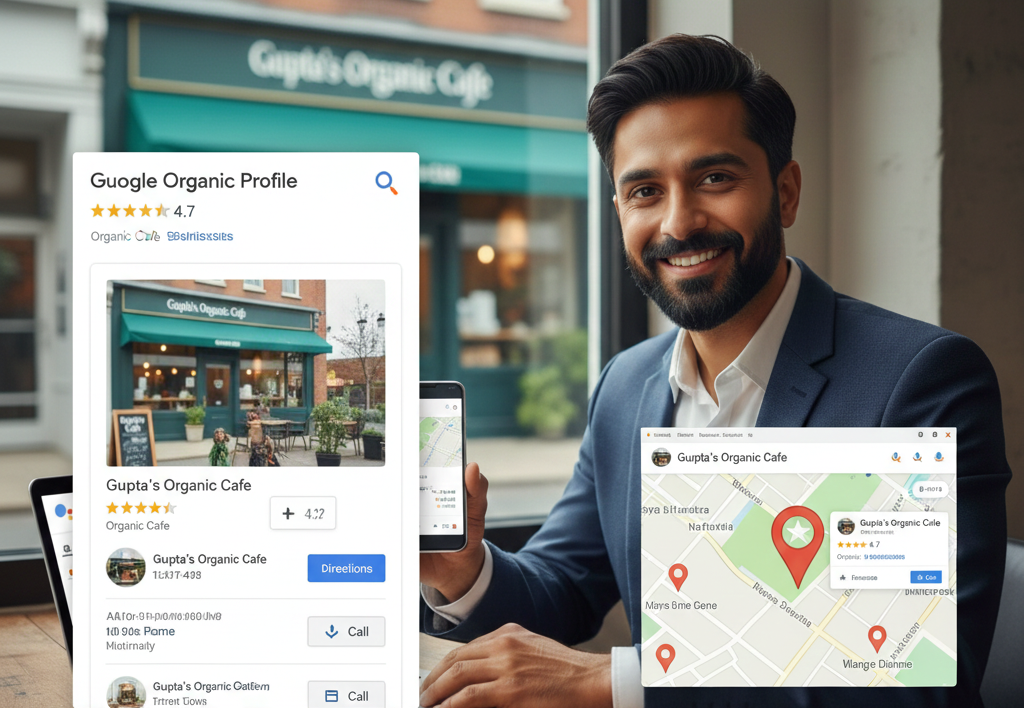
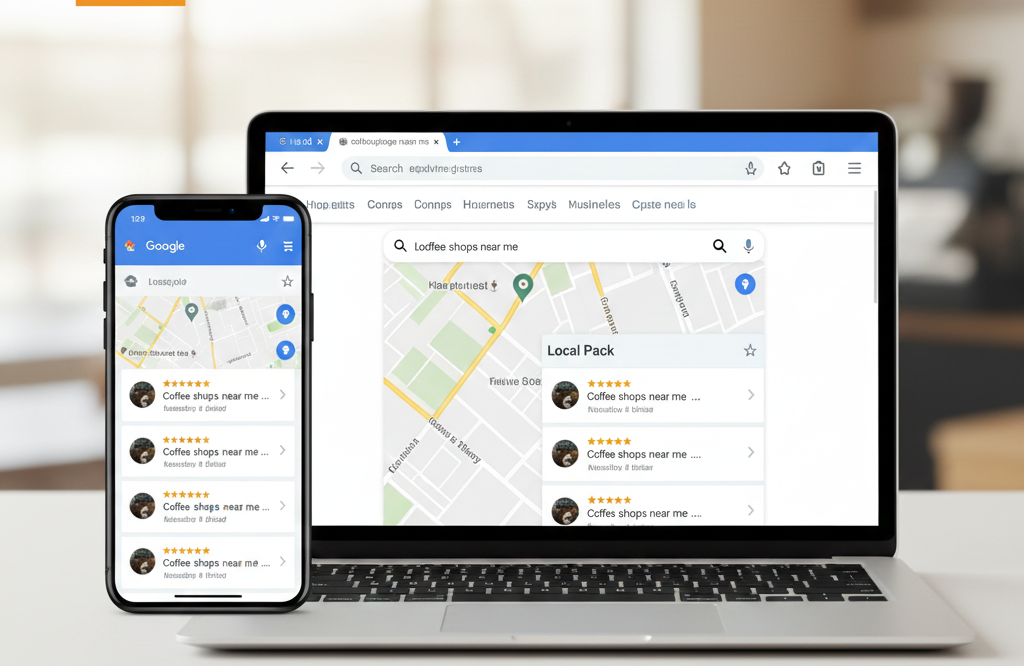
Here’s why it’s crucial for local businesses: when someone searches for “coffee shop near me” or “plumber in [city name],” Google displays a map with three local businesses prominently at the top. This is called the local pack, and appearing here can dramatically increase your business visibility on Google.
The statistics speak for themselves. According to recent data, 76% of people who search for something nearby on their smartphone visit a business within 24 hours. Even more impressive, 28% of those searches result in a purchase. If your business isn’t showing up in these near me searches, you’re leaving money on the table.
At YAAM Web Solutions, we’ve helped dozens of local businesses transform their online presence through strategic Google Business Profile optimization. The results consistently show that businesses with optimized listings receive 70% more location visits than those without.
How Google My Business Impacts Local SEO
Understanding the connection between your Google Business Profile and local search optimization is essential. Google uses three primary factors when determining local pack ranking:
Relevance measures how well your business profile matches what someone is searching for. This is where your business description, categories, and attributes come into play.
Distance considers how far your business is from the searcher or the location they’ve specified in their query. While you can’t change your physical location, you can optimize for service areas if you serve customers at their locations.
Prominence reflects how well-known your business is. Google determines this through factors like reviews, citations across the web, and your overall online presence. This is where your website’s SEO performance also plays a role.
The beauty of Google Business Profile SEO is that it works alongside your website optimization efforts. When someone finds you through Google Maps, they often click through to your website for more information. This creates a powerful synergy between your GMB listing and your overall digital marketing strategy.
Setting Up Your Google Business Profile
Before you can optimize, you need to properly set up your profile. Here’s the step by step Google My Business optimization guide to get started:

Claiming or Creating Your Listing
First, search for your business on Google Maps. If a listing already exists, you’ll need to claim it. If not, you’ll create a new one. Go to google.com/business and follow the prompts.
Google will verify your business, typically by sending a postcard with a verification code to your business address. This process usually takes 5-7 days. Some businesses may qualify for instant verification through other methods like phone or email.
Choosing the Right Categories
Your primary category is one of the most important Google My Business ranking factors. Choose the category that best describes your core business. You can add up to nine additional categories, but be specific and accurate.
For example, if you run a pizza restaurant, “Pizza Restaurant” should be your primary category, not just “Restaurant.” The more specific you are, the better you’ll rank for relevant searches.
Writing Your Business Description
Your business description is your chance to tell potential customers what makes you special. You have 750 characters to work with, but Google truncates at 250 characters in most displays, so front-load your most important information.
Include your primary services, what sets you apart, and natural mentions of local keywords. Avoid keyword stuffing—write for humans first, search engines second. For example: “Family-owned Italian restaurant serving authentic wood-fired pizza and handmade pasta in downtown Portland since 2010.”
Complete Google My Business Optimization Checklist
Now let’s dive into the comprehensive GMB optimization checklist that will help you maximize your local business SEO:
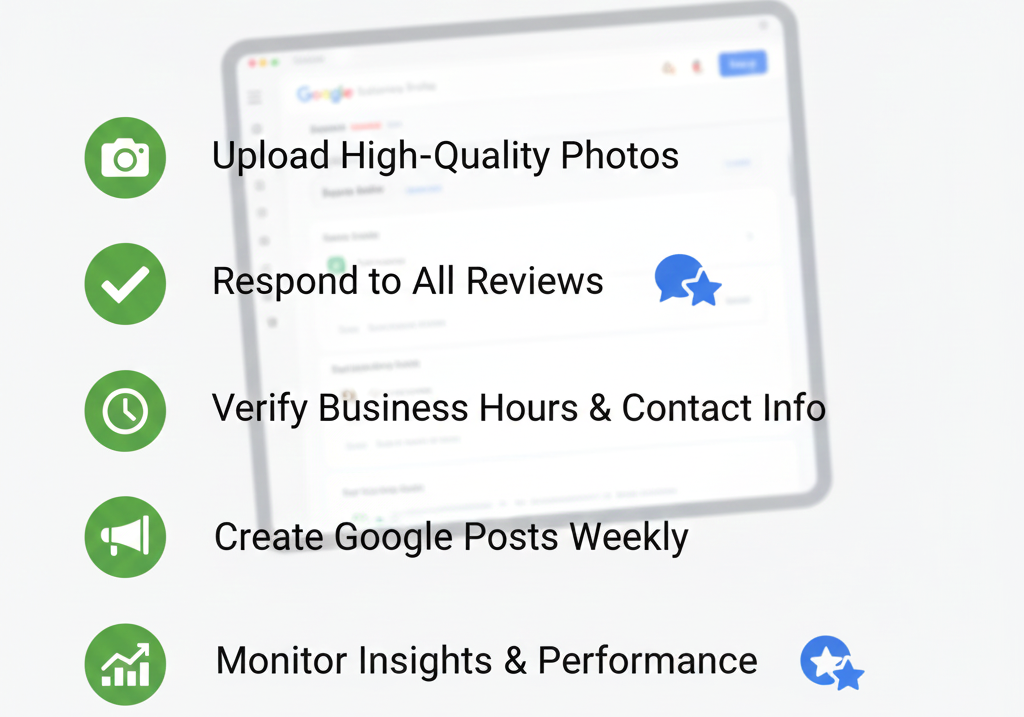
Complete Every Section
Google rewards profiles that are 100% complete. This means filling out:
- Business name (exactly as it appears in real life)
- Address (consistent with your website and other listings)
- Phone number (local number preferred)
- Website URL
- Hours of operation (including special hours for holidays)
- Business attributes (women-led, outdoor seating, etc.)
- Services or products you offer
- Opening date
Each completed section signals to Google that you’re a legitimate, active business worth showing to searchers.
Add Your Service Areas
If you’re a service-area business like a plumber or electrician who travels to customers, you can hide your address and instead specify the areas you serve. Be specific about cities, neighborhoods, or ZIP codes you service. This helps you appear in geo-targeted SEO searches for those locations.
Upload High-Quality Photos
Visual content dramatically impacts your listing’s performance. Businesses with photos receive 42% more requests for directions and 35% more clicks through to their websites. We’ll cover photo optimization in detail later, but start by uploading:
- Logo
- Cover photo
- Interior photos
- Exterior photos
- Team photos
- Product or service photos
Create and Optimize Your Services
If Google offers a services section for your business category, use it. List each service you offer with a brief description. This is particularly important for service-based businesses and helps you rank for specific service-related searches.
For example, a digital marketing agency like YAAM Web Solutions would list services such as “Local SEO optimization,” “Website development,” and “Google Business Profile management.”
NAP Consistency and Local Citations
NAP stands for Name, Address, and Phone number. NAP consistency is one of the foundational elements of local search optimization. Here’s why it matters: Google cross-references your business information across the web to verify your legitimacy.
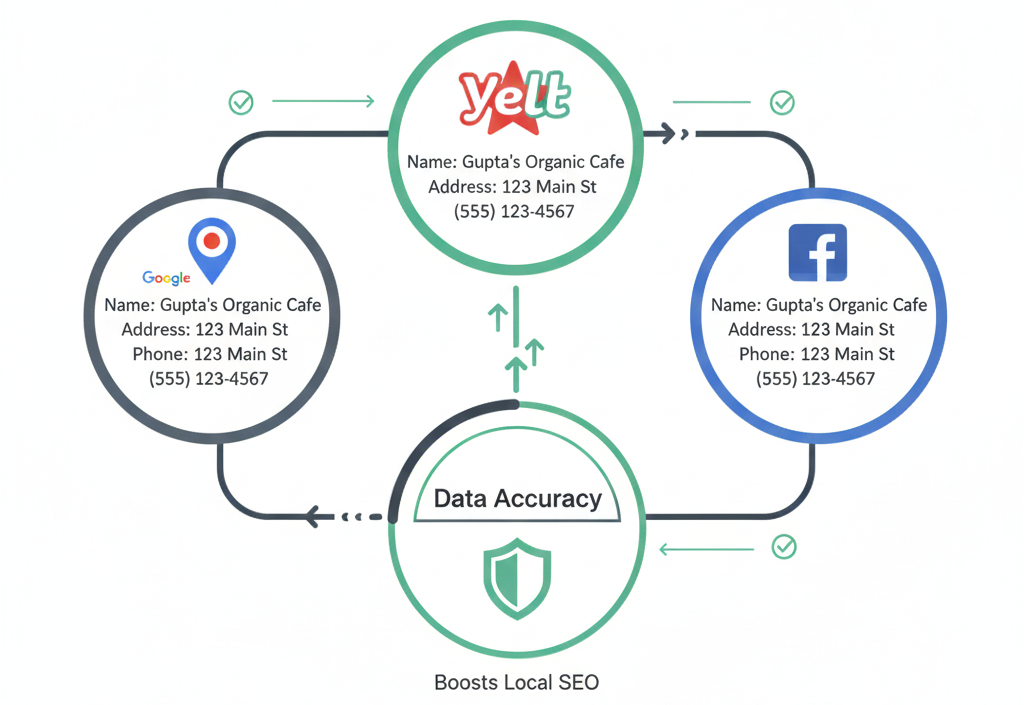
If your business name is “Joe’s Plumbing” on Google but “Joe’s Plumbing Services” on Facebook and “Joe Plumbing” on Yelp, Google gets confused. This inconsistency can hurt your rankings.
Building Local Citations
Local citations are online mentions of your business name, address, and phone number. They appear on business directories, websites, apps, and social platforms. Popular citation sources include:
- Yelp
- Yellow Pages
- Better Business Bureau
- Industry-specific directories
- Local chamber of commerce websites
- Facebook Business Page
The goal is to have consistent, accurate citations across authoritative websites. Quality matters more than quantity. Ten citations on reputable sites outperform fifty citations on low-quality directories.
Start by claiming your business on major platforms, ensuring your NAP information matches your Google Business Profile exactly. If you’re managing multiple locations or find the process overwhelming, consider working with professionals who specialize in local business SEO.
Mastering Google Reviews for Better Rankings
Google reviews are arguably the most powerful Google My Business ranking factor you can influence. They impact both your rankings and your click-through rates. Here’s what the data shows: businesses with higher star ratings and more reviews consistently outrank competitors with fewer reviews.
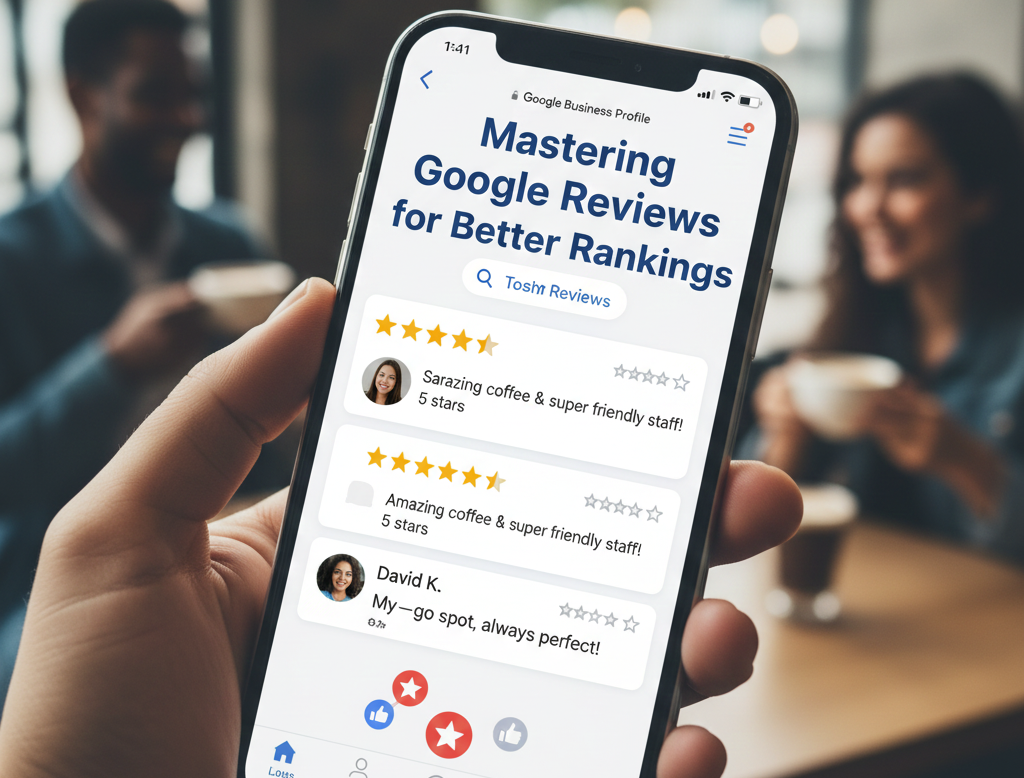
How Reviews Affect Google My Business Ranking
Google’s algorithm considers:
- Review quantity: More reviews signal popularity and trustworthiness
- Review velocity: Regular new reviews show you’re actively serving customers
- Review diversity: Reviews mentioning different services and keywords
- Star rating: Higher ratings boost rankings, though the correlation weakens above 4.5 stars
- Responses to reviews: Engaging with reviewers shows active management
Getting More Reviews
The best time to ask for a review is immediately after delivering great service, when customer satisfaction is highest. Here are ethical, effective strategies:
Send follow-up emails thanking customers and including a direct link to your review page. Make it easy—one click should take them directly to where they can leave a review.
Train your team to ask in person. A simple “We’d really appreciate it if you could share your experience on Google” works wonders. Studies show that 70% of customers will leave a review when asked directly.
Create a short URL or QR code that links to your review page and display it at your point of sale, on receipts, or in email signatures.
Never buy fake reviews or offer incentives in exchange for positive reviews. Both practices violate Google’s guidelines and can result in penalties or even suspension of your listing.
Responding to Reviews
Respond to every review, both positive and negative. Your responses show potential customers how you handle feedback and demonstrate active management of your business profile.
For positive reviews, keep it brief and genuine: “Thanks for the kind words, Sarah! We’re thrilled you enjoyed your experience. Hope to see you again soon!”
For negative reviews, stay professional and solution-oriented: “We’re sorry to hear about your experience, John. This doesn’t reflect our usual standards. Please contact us at [phone] so we can make this right.”
Google notices response rates and factors them into your local customer discovery potential. Businesses that respond to reviews rank higher than those that don’t.
Using Google Posts to Boost Engagement
Google Posts are free micro-content pieces that appear directly in your Business Profile. Think of them as mini social media updates that can showcase offers, events, products, or news.
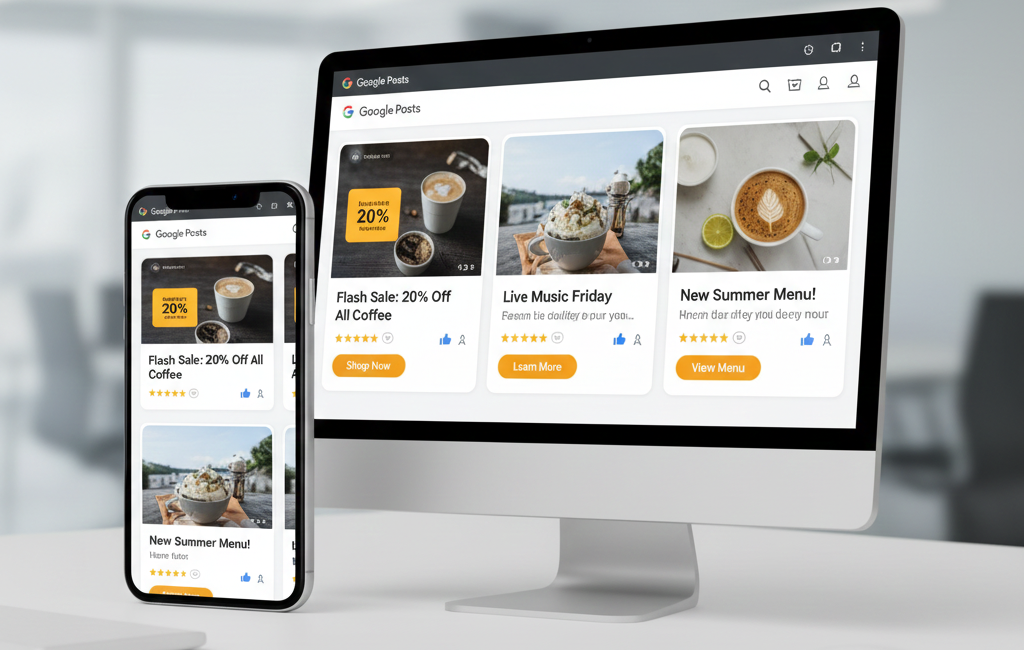
Here’s why they matter: Posts give you fresh content that keeps your profile dynamic and engaging. While Google hasn’t confirmed posts as a direct ranking factor, they increase engagement metrics, which indirectly helps your visibility.
How Often Should You Post on Google My Business?
Consistency matters more than frequency. Posting once per week is a solid baseline that keeps your profile active without overwhelming your schedule. During promotions or special events, increase to two or three posts per week.
Types of Posts to Create
What’s New posts share general updates about your business. These work well for announcing new products, services, or changes to your business.
Event posts promote upcoming events with specific dates and times. These automatically disappear after the event date passes.
Offer posts highlight special promotions or discounts. Include a clear call-to-action and redemption details.
Product posts showcase specific items you sell. Include pricing and compelling descriptions.
Post Optimization Best Practices
Keep your text concise—between 150-300 words is ideal. Start with your most important information since Google truncates longer posts.
Always include a high-quality image. Posts with images receive significantly more engagement than text-only posts.
Add a call-to-action button like “Learn More,” “Sign Up,” “Buy,” or “Call Now.” This creates an easy next step for interested customers.
Use relevant keywords naturally, but focus on value to your audience. A post about “Our new summer menu features fresh, locally-sourced ingredients” works better than “Best restaurant food menu near me downtown.”
Photo Optimization for Higher Visibility
Your photos are often the first impression potential customers have of your business. The impact is substantial: listings with photos receive 42% more requests for directions and 35% more website clicks.
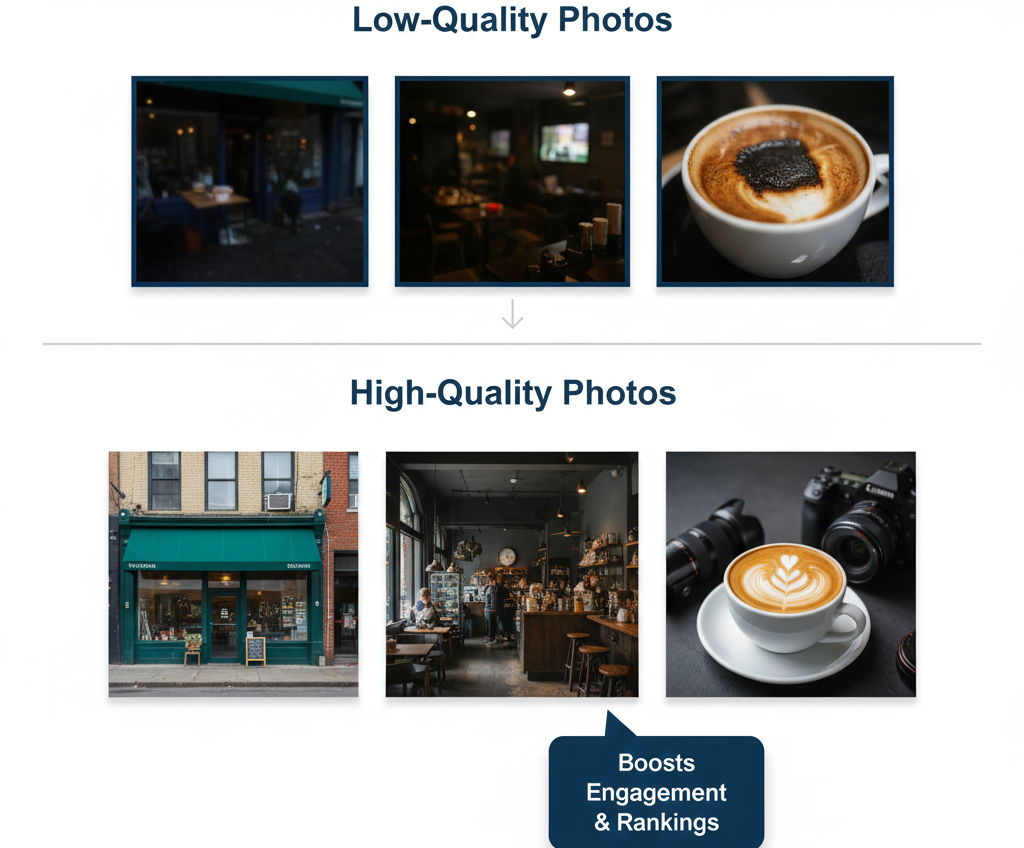
How to Optimize Google My Business Photos
Quality over quantity matters, but both are important. Google recommends a minimum of three photos, but successful businesses typically have 20 or more.
Use high-resolution images (720px wide minimum, though 1080px or higher is better). Photos should be well-lit, in focus, and properly oriented. Blurry, dark, or sideways photos hurt more than they help.
Photo types to include:
Your logo should be square, at least 720×720 pixels, and have a transparent or white background.
Your cover photo appears prominently at the top of your profile. Choose an image that captures your business’s essence—your storefront, best product, or most appealing interior space.
Interior and exterior photos help customers visualize visiting your location. Capture different angles and times of day if possible.
Team photos humanize your business and build trust. Show your staff in action, serving customers or working together.
Product and service photos showcase what you offer. If you’re a restaurant, include mouth-watering food shots. If you’re a salon, show before-and-after transformations.
Photo Naming and Metadata
Before uploading, rename your image files descriptively. Instead of “IMG_1234.jpg,” use “downtown-coffee-shop-interior.jpg.” While Google can’t read filenames in your GMB dashboard, this practice helps if these photos appear elsewhere on your website or in Google Images.
Take new photos regularly. Fresh content signals an active business. Aim to add new photos monthly, showcasing seasonal changes, new products, or special events.
Common Google My Business SEO Mistakes to Avoid
Even with good intentions, many business owners make mistakes that hurt their local SEO performance. Here are the most common pitfalls and how to avoid them:
Keyword Stuffing Your Business Name
Adding keywords to your business name is tempting but risky. “Joe’s Pizza” is fine. “Joe’s Pizza Best New York Style Pizza Downtown Portland” violates Google’s guidelines and can result in suspension.
Only include keywords in your business name if they’re actually part of your legal business name. If you’re concerned about ranking for specific keywords, focus on your description, services, and posts instead.
Inconsistent Business Information
We covered NAP consistency earlier, but it’s worth repeating: any mismatch between your Google listing, website, and other online profiles confuses Google and hurts your rankings. Regular audits of your business information across platforms prevent this issue.
Ignoring Google Q&A
The Questions and Answers section of your profile is often overlooked but highly visible to potential customers. Anyone can ask questions or even answer them, which means incorrect information might appear.
Check your Q&A section weekly. Answer questions thoroughly and accurately. Proactively add and answer common questions yourself. This controls the narrative and provides helpful information to searchers.
Using a PO Box or Virtual Address
Google requires a physical address where customers can visit during your stated hours. Using a PO Box, UPS Store mailbox, or virtual office address violates Google’s guidelines and can result in suspension.
If you’re a service-area business without a public storefront, hide your address and specify your service areas instead.
Choosing the Wrong Primary Category
Your primary category significantly impacts what searches you appear in. Choosing a general category when a specific one exists hurts your visibility. Research categories carefully—use the most specific, accurate option available.
Neglecting Mobile Optimization
The majority of local searches happen on mobile devices. Your Google Business Profile is mobile-friendly by default, but ensure your website is too. When someone clicks from your GMB listing to your site, a poor mobile experience sends them straight back to your competitor’s listing.
If you haven’t updated your website recently, consider modern web development approaches that prioritize mobile performance.
Advanced Optimization Strategies
Once you’ve mastered the basics, these advanced tactics can give you an edge over competitors:
Implement Structured Data on Your Website
Schema markup (structured data) helps Google understand your website content better. Local Business schema on your site should match your GMB information exactly. This creates additional consistency signals that Google rewards.
While implementing structured data requires technical knowledge, the payoff in improved local rankings makes it worthwhile. If you’re not comfortable with code, professional web development services can handle this for you.
Optimize for Voice Search
Voice searches often include conversational, question-based queries like “Where’s the best coffee shop near me?” or “What time does the library close today?”
Optimize for these searches by:
- Ensuring your hours are always current
- Adding detailed information about your services
- Creating FAQ-style content on your website
- Using natural language in your business description
Leverage Google My Business Insights
Your GMB dashboard provides valuable data about how customers find and interact with your listing. Regular analysis helps you understand what’s working and what needs improvement.
Pay attention to:
- How customers search for you (direct searches for your name vs. discovery searches)
- Where they’re viewing your profile (Search vs. Maps)
- What actions they take (calls, direction requests, website visits)
- Popular times at your business
Use these insights to optimize your hours, staffing, and promotional timing.
Create Location-Specific Content
If you serve multiple areas, create location-specific pages on your website that target each geographic area. This supports your GMB optimization by providing relevant content Google can associate with local intent keywords.
For example, a roofing company serving three cities might create separate pages for “Roof Repair in Portland,” “Roof Repair in Beaverton,” and “Roof Repair in Gresham.”
Link between your website and GMB listing bidirectionally. Your website should prominently link to your Google Business Profile, and your GMB listing should link to relevant website pages.
Tracking Your Performance
Optimization without measurement is just guesswork. Track these metrics to gauge your Google Business Profile performance:
Key Performance Indicators
Search Visibility: Monitor where you rank in local pack results for your target keywords. Several tools can track local rankings, or you can manually check from different locations.
Profile Views: Available in GMB Insights, this shows how many people are viewing your business profile. Increasing views indicate improving visibility.
Actions Taken: Track how many people call you, visit your website, request directions, or click on your posts through your GMB profile. These engagement metrics reflect conversion potential.
Review Metrics: Monitor your total reviews, average rating, and review velocity (new reviews per month). Increasing positive reviews correlate strongly with improved rankings.
Photo Views and Engagement: See how many people view your photos and how your photos compare to competitors. High photo engagement suggests compelling visual content.
Tools for Tracking
Google provides built-in Insights within your Business Profile dashboard. Check these weekly to spot trends and opportunities.
Google Search Console shows how your website performs in search results, including queries that lead to your GMB listing clicks.
Third-party tools like BrightLocal, Moz Local, or Whitespark offer more detailed tracking and competitive analysis. While these require investment, serious local businesses often find them worthwhile.
Integrating GMB with Your Overall Marketing Strategy
Your Google Business Profile doesn’t exist in isolation. The most successful businesses integrate it with their broader marketing efforts:
Website Integration
Your website and GMB listing should work together seamlessly. Ensure consistent branding, messaging, and information across both platforms. Embed your Google Maps listing on your website’s contact page.
Create content on your website that supports your local SEO efforts. Blog posts about local topics, location-specific service pages, and customer success stories all strengthen your local authority.
If you’re migrating to a new website, follow best practices to avoid losing your SEO equity.
Social Media Synergy
While social media profiles aren’t direct ranking factors, they contribute to your overall online presence. Share your Google reviews on social media. Post about GMB updates to your social channels. Cross-promote consistently.
Your social profiles should link to your website and include consistent NAP information. This builds the web of consistent signals that Google looks for.
Leveraging AI and Automation
Modern tools can help streamline your GMB management. AI technology is transforming digital marketing, including local SEO. Consider tools that:
- Schedule posts in advance
- Monitor and alert you to new reviews
- Track your rankings automatically
- Suggest optimization opportunities based on competitor analysis
However, maintain the human touch. Automated responses to reviews, for instance, feel impersonal and can hurt more than help.
Content Marketing for Local SEO
Create valuable content that serves your local audience. Blog posts about local events, partnerships with local organizations, or guides specific to your area all strengthen your local relevance.
For instance, a landscaping company might create seasonal guides like “Best Native Plants for Portland Gardens” or “Winter Lawn Care Tips for Oregon Homeowners.” This content attracts local traffic to your website while establishing local expertise.
Tools like Canva Pro’s new features make creating professional visual content easier than ever, perfect for both your website and GMB posts.
Industry-Specific Optimization Tips
Different business types face unique optimization challenges:
Restaurants and Food Services
Focus heavily on photos—food photography can make or break your success. Update your menu in your GMB listing and use Posts to promote daily specials or seasonal offerings.
Enable attributes like “outdoor seating,” “good for kids,” or “vegetarian options” to appear in filtered searches.
Service Area Businesses
If you don’t have a public storefront, properly configure your service areas. Be specific about which neighborhoods, cities, or ZIP codes you serve.
Since customers can’t visit your location, emphasize your responsiveness. List your phone number prominently and ensure someone is always available to answer.
Retail Stores
Use the Products feature if available for your business type. Upload your inventory with descriptions and prices. This helps you appear in product-specific searches.
Showcase different areas of your store through photos and consider doing virtual tours for a more immersive experience.
Professional Services
Highlight credentials, certifications, and specializations in your description. Professional services live and die by trust, so collect and showcase detailed reviews that speak to your expertise.
Use Posts to share helpful tips or industry insights that demonstrate your knowledge.
Dealing with Competitors and Negative Tactics
Unfortunately, local SEO isn’t always clean competition. Be aware of these issues:
Competitor Review Manipulation
Sometimes competitors create fake negative reviews to hurt your ratings. If you suspect a fraudulent review, flag it through Google’s reporting system. Be patient—Google’s review team takes time to investigate.
Never retaliate with fake reviews of your own. This violates Google’s guidelines and can backfire spectacularly.
Duplicate Listings
Multiple listings for the same business confuses Google and splits your reviews and signals across listings. If you discover duplicates, report them to Google and request merging them into your primary listing.
Suspended Listings
If your listing gets suspended, it’s usually due to a guidelines violation (intentional or accidental). Common causes include using a virtual address, keyword stuffing your business name, or listing a business at a location where you don’t have a legitimate physical presence.
If suspended, carefully review Google’s guidelines, fix the violation, and submit a reinstatement request through your GMB dashboard.
The Future of Google Business Profile and Local SEO
Google continually evolves its local search features. Staying ahead means understanding where things are heading:
Increasing Personalization
Google tailors search results based on user history, preferences, and behavior more than ever. This means the same search from two different people might show different results.
Focus on broad appeal and consistent quality rather than trying to game specific ranking factors.
Integration with Google Services
Google increasingly integrates Business Profiles with other services like Google Ads, Google Assistant, and even Google Shopping for retail products. Businesses that embrace this ecosystem benefit from enhanced visibility.
More Emphasis on Customer Experience
Google’s algorithm increasingly prioritizes signals of genuine customer satisfaction: reviews, response times, updated information, and engagement metrics. Authentically serving your customers has never been more important for SEO.
Working with Professionals
Managing all aspects of local SEO can be overwhelming, especially for small business owners already juggling numerous responsibilities. Sometimes, working with professionals makes sense.
At YAAM Web Solutions, we specialize in comprehensive digital marketing strategies that integrate Google My Business optimization with website development, content creation, and technical SEO. Our team stays current with algorithm changes and best practices so you can focus on running your business.
Whether you need a one-time optimization audit, ongoing management, or training for your team, professional support can accelerate your results and avoid costly mistakes.
Consider professional help if you’re:
- Managing multiple locations
- Facing technical challenges you can’t resolve
- Not seeing results after several months of DIY efforts
- Dealing with a suspended or compromised listing
- Wanting to scale your local presence quickly
Taking Action: Your 30-Day GMB Optimization Plan
Ready to transform your Google Business Profile? Here’s a realistic 30-day action plan:
Week 1: Claim and Complete
- Claim your listing if you haven’t already
- Complete 100% of your profile information
- Upload your logo, cover photo, and at least 10 additional photos
- Write your business description
Week 2: Consistency and Citations
- Audit your NAP information across the web
- Fix inconsistencies on major platforms
- Claim or create citations on at least 10 reputable directories
- Link your GMB profile from your website
Week 3: Content and Engagement
- Create your first Google Post
- Respond to all existing reviews
- Add 5-10 service listings (if applicable)
- Complete your Q&A section with common questions
Week 4: Monitor and Optimize
- Set up regular review request processes
- Schedule your next 4 posts
- Analyze your GMB Insights
- Identify and fix any remaining optimization opportunities
After 30 days, maintain a weekly routine:
- Monday: Check and respond to reviews
- Wednesday: Create and publish a new Google Post
- Friday: Review insights and adjust strategy as needed
Consistency beats intensity in local SEO. Small, regular actions compound over time into significant results.
FAQs
Does Google My Business help local SEO?
Absolutely. Google My Business is one of the most powerful local SEO tools available. It directly influences your visibility in local search results, Google Maps rankings, and the local pack that appears at the top of search results. Businesses with optimized GMB listings consistently outrank competitors without them. The combination of reviews, photos, posts, and complete information creates strong signals that Google uses to determine local relevance and trustworthiness.
How long does it take to see results from GMB optimization?
Most businesses notice improvements within 2-4 weeks of proper optimization, with more significant results appearing after 2-3 months. Initial changes like completing your profile and adding photos can boost visibility within days. However, factors requiring time to build—like reviews, consistent posting, and citation development—show their impact gradually. The timeline also depends on your competition level; less competitive areas may see faster results than highly saturated markets.
Can I optimize Google My Business for multiple locations?
Yes, businesses with multiple locations should create separate listings for each physical location. Each listing should have unique photos, descriptions tailored to that location, and location-specific posts and reviews. This allows each location to rank independently in its local area. Google also offers bulk management tools for businesses with 10+ locations, making it easier to maintain consistency while allowing location-specific customization.
How important are reviews compared to other ranking factors?
Reviews are among the most influential ranking factors you can control. They impact rankings both directly (Google uses them as a ranking signal) and indirectly (higher-rated businesses get more clicks, which improves engagement metrics). While other factors like relevance and distance matter, two businesses equal in other respects will see the one with more and better reviews rank higher. Beyond rankings, reviews heavily influence click-through rates—70% of consumers won’t consider a business with less than a 4-star rating.
What should I do if I receive a fake negative review?
First, don’t panic or respond emotionally. Flag the review through Google’s reporting system if it violates guidelines (spam, fake, offensive content, conflict of interest, or off-topic). Document why you believe it’s fake, though Google doesn’t typically engage in back-and-forth communication. If the review isn’t removed, respond professionally and factually: “We have no record of serving you and believe this review was left in error. We take customer feedback seriously and would welcome the opportunity to address any legitimate concerns.” This response shows other readers you’re attentive and reasonable.
Is it worth paying for Google My Business?
Google My Business itself is completely free, and you should never pay for basic listing management. However, paying for professional optimization services, tools that enhance your management capabilities, or Google Ads to complement your organic visibility can be worthwhile investments. Be wary of anyone claiming you must pay to have a listing or to rank well—these are scams. Legitimate services charge for their time and expertise in optimizing your listing, not for access to the platform itself.
How do I optimize Google My Business if I’m a service-area business without a physical location customers visit?
Service-area businesses should hide their address in GMB settings and instead specify service areas by city, ZIP code, or radius. Focus on building authority through reviews, detailed service descriptions, and consistent citations. Since customers can’t see your physical location, emphasize your responsiveness—make your phone number prominent and answer quickly. Create content on your website about the specific areas you serve, which helps Google understand your geographic relevance. Consider using a registered business address (even if it’s a home office) rather than a virtual address, which violates Google’s guidelines.
How often should I post on Google My Business?
A consistent schedule of one post per week strikes a good balance for most businesses. This keeps your profile active without becoming overwhelming to manage. During special promotions, events, or busy seasons, increase to 2-3 posts per week. Posts remain visible for seven days (or until the event date for event posts), so weekly posting ensures something is always visible. Quality matters more than quantity—one well-crafted post with a great image and clear call-to-action outperforms three rushed, low-quality posts.
Can I remove negative reviews from my Google My Business listing?
You cannot directly remove legitimate negative reviews, even if they’re harsh or you disagree with them. You can only flag reviews that violate Google’s policies (fake, spam, offensive, off-topic, or conflicts of interest). Google reviews the flagged review and decides whether to remove it. For legitimate negative reviews, your best strategy is responding professionally and constructively. Address the issue, apologize if appropriate, and offer to resolve the problem offline. This response demonstrates good customer service to everyone reading your reviews. Focus on generating more positive reviews to dilute the impact of occasional negative ones.
What’s the difference between Google My Business and Google Business Profile?
There’s no practical difference—they’re the same thing. Google rebranded “Google My Business” to “Google Business Profile” in 2021 but many people still use the old name. Both terms refer to the free tool that lets you manage your business’s presence across Google Search and Maps. The functionality, features, and optimization strategies remain identical regardless of which name you use.
Conclusion: Your Path to Local Search Dominance
Optimizing your Google My Business listing isn’t a one-time task—it’s an ongoing commitment to accurately representing your business and engaging with your local community online. The businesses that succeed in local SEO treat their GMB profile as a dynamic marketing tool, not a “set it and forget it” directory listing.
The competitive advantage is real. While your competitors might have claimed their listings, most haven’t fully optimized them. By following this comprehensive guide, you’re positioning your business ahead of the pack, capturing customers actively searching for what you offer.
Remember the bakery owner from the beginning of this article? Their success came from consistent effort: maintaining accurate information, regularly adding photos, actively managing reviews, and posting weekly updates. These aren’t complicated tactics—they’re straightforward actions that accumulate into significant results.
Your local customers are searching right now. Make sure they find you.
Ready to take your local SEO to the next level? At YAAM Web Solutions, we specialize in comprehensive digital marketing strategies that drive real results for local businesses. From Google Business Profile optimization to complete website development and SEO services, we’re here to help you dominate your local market.
Visit YAAM Web Solutions to learn how we can help your business thrive in the digital landscape.
Resources & Further Reading:
Last Updated: January 2025