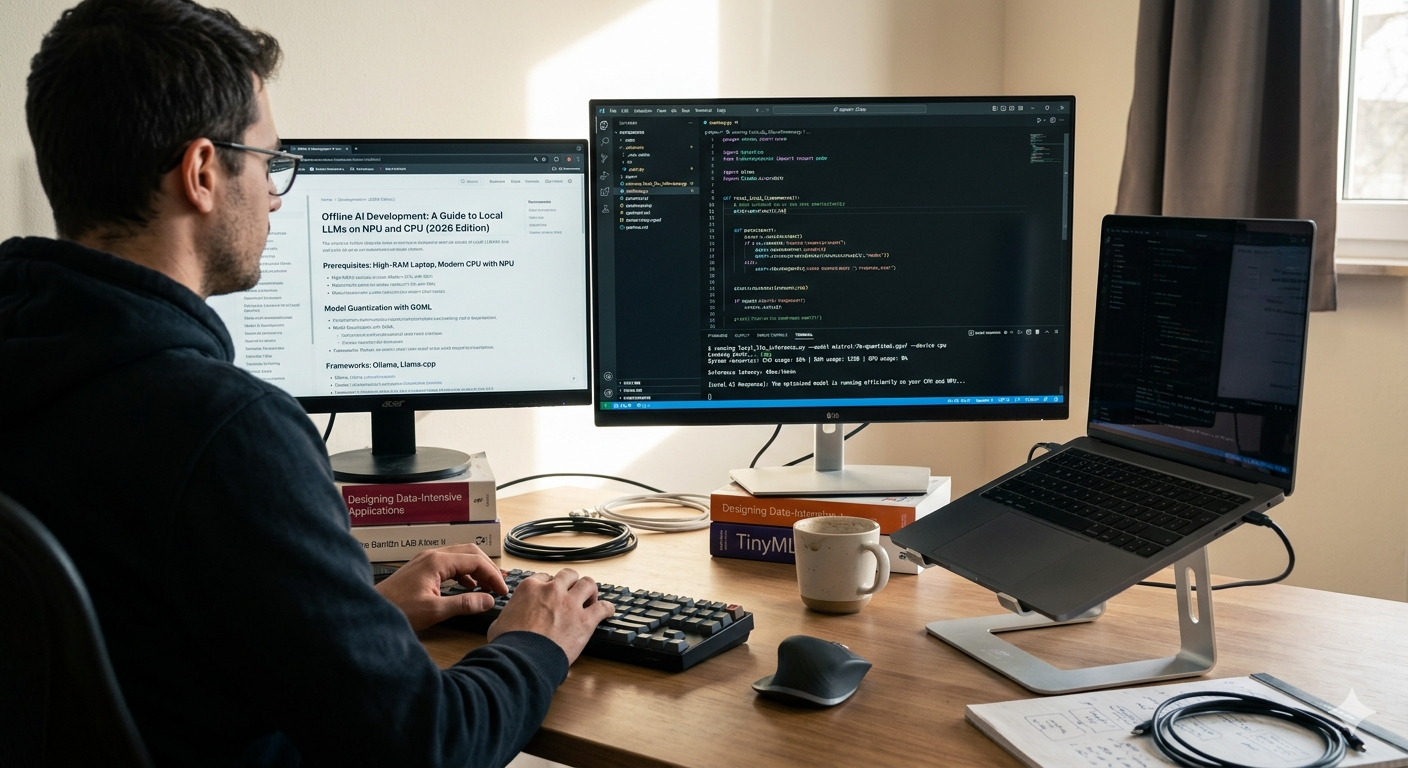
Run AI Models Locally Without GPU: A Complete Guide for Developers in 2026
Run AI Models Locally Without GPU Guide For Developers 2026
Run AI Models Locally Without GPU: A Complete Guide for Developers in 2026
No expensive hardware, no cloud bills, no waiting. Everything developers, students, and startups need to run powerful AI models on an ordinary laptop — starting today.
Here is the thing nobody tells you when you first get interested in AI: you do not need an expensive GPU to experiment with powerful language models. You can run AI models locally without GPU right now, on the laptop you already own, using free open-source tools that have gotten dramatically better in 2026. Whether you are a developer prototyping an idea, a student learning about LLMs, or a startup that cannot justify a cloud AI bill — local AI is a genuine, practical option.
Cloud APIs like OpenAI and Anthropic are excellent for production. But they cost money per token, send your data to remote servers, and stop working the moment your internet does. Running a local AI model solves all three problems simultaneously. At YAAM Web Solutions, we have helped dozens of development teams set up local AI workflows — and this guide covers everything we have learned about doing it efficiently in 2026.
Why Run AI Models Locally in 2026?
The local AI movement has accelerated sharply in 2026. Models that would have required a data center three years ago now run comfortably on consumer hardware. Four specific reasons are driving developers and businesses toward local setups.
Challenges of Running AI Models Locally
The local AI path is genuinely accessible in 2026, but you need to enter it with realistic expectations. These are the real hurdles you will encounter.
What Is AirLLM and Why It Matters for Local AI?
AirLLM is an open-source Python library that makes it possible to run large language models locally without GPU — even on machines with very limited RAM. It was built specifically to solve the problem that stops most developers from running local AI: the enormous memory requirements of loading a full model at once.
Before AirLLM, running a 70B parameter model locally required a machine with 140GB+ of RAM or VRAM. With AirLLM, the same model runs on a machine with 4GB of RAM — by loading and executing the model one layer at a time, then releasing that memory before loading the next layer.
This approach makes AirLLM uniquely beginner-friendly. You do not need to understand quantization, GGUF format, or llama.cpp compilation. You install it via pip, point it at a Hugging Face model, and run it. That is the entire setup.
🧠 Why it matters: AirLLM democratizes local AI. Before it, running a capable LLM locally required hardware most developers do not own. With AirLLM, the only requirement is a laptop with at least 4GB of RAM — which describes virtually every machine made in the last decade.
How AirLLM Works — A Simple Explanation
Think of a large language model like a very long book. Reading the entire book at once would require an enormous desk — the equivalent of a server with hundreds of gigabytes of RAM. AirLLM instead reads one chapter at a time, processes it, sets it down, then picks up the next chapter. The desk only needs to be big enough for one chapter.
In technical terms, transformer-based LLMs are composed of stacked layers — typically 32 to 80 depending on model size. AirLLM loads each layer individually into memory, runs the forward pass computation for that layer, stores the intermediate activation, unloads the layer, then loads the next one. The full model never occupies memory simultaneously.
| Approach | Memory Required | Speed | Hardware Needed |
|---|---|---|---|
| Standard Full Load | 14GB+ for 7B model (FP16) | Fast (GPU) | High-end GPU required |
| Quantized (GGUF/Q4) | 4–5GB for 7B model | Medium | CPU or GPU, 8GB+ RAM |
| AirLLM Layer Loading | As low as 4GB for 70B model | Slowest (by design) | Any machine with 4GB+ RAM |
The tradeoff is clear: AirLLM trades speed for accessibility. Generation is significantly slower than GPU inference or even standard quantized models because each layer load involves a disk read. But for development, testing, research, and offline assistants where response time is not critical, this tradeoff is completely acceptable.
⚡ AirLLM is best for: Running large models on low-spec hardware, privacy-critical applications, offline environments, and developers exploring model behavior without access to a GPU server. It is not ideal for production inference where response latency matters.
Step-by-Step Guide to Run AI Models Locally Without GPU
This walkthrough assumes you have Python 3.9+ installed and basic comfort with the terminal. From zero to a running local AI model takes less than 20 minutes on most machines.
Create a clean virtual environment first. This isolates your local AI dependencies from your other Python projects and prevents version conflicts.
# Create and activate a virtual environment
python -m venv local-ai-env
# On Mac/Linux:
source local-ai-env/bin/activate
# On Windows:
local-ai-env\Scripts\activateAirLLM installs via pip in seconds. It pulls in its core dependencies — including a minimal build of PyTorch — automatically.
pip install airllmIf you plan to use quantized models for better performance (recommended if you have 8GB+ RAM), also install the bitsandbytes package:
pip install airllm bitsandbytesFor first-time local AI setup, start with a 7B model. The meta-llama/Llama-2-7b-chat-hf and mistralai/Mistral-7B-Instruct-v0.2 models on Hugging Face are both excellent starting points. You will need a free Hugging Face account and an access token for gated models like Llama 2.
# Login to Hugging Face (one-time setup)
pip install huggingface_hub
huggingface-cli loginCreate a Python script and initialize AirLLM with your chosen model. AirLLM handles the download from Hugging Face and the layer-by-layer loading automatically.
from airllm import AutoModel

# AirLLM downloads and caches the model automatically
model = AutoModel.from_pretrained(
    "mistralai/Mistral-7B-Instruct-v0.2",
    max_seq_len=512  # keep lower for faster inference
)Once the model loads, send it a prompt and retrieve the generated text. The first run is slower as AirLLM caches the quantized layer files to disk. Subsequent runs are faster.
from transformers import AutoTokenizer

tokenizer = AutoTokenizer.from_pretrained(
    "mistralai/Mistral-7B-Instruct-v0.2"
)

input_text = ['Explain machine learning in simple terms.']
inputs = tokenizer(
    input_text,
    return_tensors="pt",
    return_attention_mask=False,
    truncation=True,
    max_length=512
)

generation_output = model.generate(
    **inputs,
    max_new_tokens=200,
    use_cache=True,
    return_dict_in_generate=True
)

print(tokenizer.decode(generation_output.sequences[0]))Run your script. The first generation will be slow — AirLLM is processing and caching layers to disk. Typical first-run times are 5–15 minutes for a 7B model. Subsequent runs start in under a minute since the split layers are already cached locally. Test different prompts, adjust max_new_tokens, and experiment with temperature settings to understand how the model behaves.
Best Models to Start With for Local AI
Model selection matters as much as tool selection when you run AI models locally without GPU. Starting with too large a model is the most common beginner mistake.
| Model | Parameters | Min RAM | Best For | Beginner-Friendly? |
|---|---|---|---|---|
| Phi-3 Mini | 3.8B | 4GB | Quick experiments, coding help | ✓ Yes |
| Mistral 7B Instruct | 7B | 8GB | General instruction following | ✓ Yes |
| Llama 3.1 8B | 8B | 8GB | Reasoning, coding, conversation | ✓ Yes |
| Gemma 2 9B | 9B | 10GB | Strong reasoning, math | Moderate |
| Llama 3.1 70B | 70B | 40GB+ | Near-GPT-4 quality | Not for beginners |
🎯 Recommended starting point: Begin with Mistral 7B Instruct or Phi-3 Mini. Both are capable enough for real tasks, small enough to run on most machines, and well-supported by all major local AI tools. Save the 13B and 70B models for when you understand the workflow and have optimized your setup.
Performance Expectations When You Run AI Locally
Setting realistic expectations is critical. When you run AI models locally without GPU, performance looks very different from a cloud API call that returns in under a second.
| Hardware | Model Size | Tokens/Second | Practical Use Case |
|---|---|---|---|
| CPU Only (8-core, 16GB RAM) | 7B (Q4) | 2–5 tok/s | Development, testing, offline use |
| CPU Only (16-core, 32GB RAM) | 13B (Q4) | 1–3 tok/s | Research, document analysis |
| Apple M3 Pro (unified memory) | 7B (Q4) | 30–50 tok/s | Near-GPU speed; excellent for local AI |
| NVIDIA RTX 4090 (24GB) | 7B (FP16) | 80–120 tok/s | Production-grade local inference |
| AirLLM CPU (any machine 4GB+) | 70B | 0.3–1 tok/s | Exploration, quality testing at low speed |
Apple Silicon Macs (M1, M2, M3) deserve special mention. Their unified memory architecture means the GPU and CPU share the same physical RAM pool — a 36GB M3 Max can run a 13B model at near-GPU speed using Metal acceleration. If you are choosing hardware specifically to run local AI models, Apple Silicon delivers the best CPU-only performance available on consumer hardware in 2026.
Best Tools for Local AI Development in 2026
AirLLM is one solution, but the ecosystem for running AI models locally has matured significantly. Here are the four tools every developer working with local AI should know.
ollama run llama3 — downloads and starts a model with no Python or configuration required. Includes a REST API you can call from any application. Best for developers who want speed of setup over memory efficiency.Local AI vs Cloud AI: The Full Comparison
Neither approach is universally superior. Understanding when to use local AI and when to stick with cloud APIs is what separates efficient developers from expensive ones.
| Factor | Local AI (No GPU) | Cloud AI (API) |
|---|---|---|
| Cost | Zero per-query cost after setup | Per-token billing; scales with usage |
| Privacy | Complete — data never leaves device | Data transmitted to provider servers |
| Speed (Generation) | 1–5 tok/s on CPU | 50–200 tok/s on cloud GPUs |
| Setup Time | 20–60 minutes for first run | Minutes (API key only) |
| Internet Required | No — fully offline once set up | Yes — always |
| Model Quality | Excellent for 7B–13B; GPT-4 level requires 70B+ | Access to frontier models (GPT-4o, Claude, Gemini) |
| Customization | Full control — fine-tune, modify, own the weights | Limited to API parameters |
| Scalability | Hardware-constrained; hard to scale | Infinite — cloud handles scaling |
| Compliance | GDPR/HIPAA-friendly by default | Depends on provider agreements |
🏆 Best approach: Use local AI to run AI models locally without GPU during development, testing, and for privacy-sensitive workloads. Switch to cloud APIs for production user-facing features where response speed and model capability are critical. Both approaches belong in a serious developer’s toolkit.
Limitations of Running AI Locally
Being honest about the limitations helps you use local AI effectively rather than becoming frustrated by mismatched expectations.
Future of Local AI — 2026 and Beyond
The trajectory for local AI is sharply upward. Hardware, software, and model efficiency are all improving simultaneously — and the convergence is happening faster than most people expected.
Final Verdict: Should You Run AI Models Locally?
This depends entirely on who you are and what you are building. Here is a clear-cut answer for each audience.
| Profile | Should You Run AI Locally? | Best Tool to Start |
|---|---|---|
| Developer / Student exploring AI | Yes — immediately | Ollama or AirLLM |
| Privacy-sensitive business | Yes — strongly recommended | AirLLM or LM Studio |
| Startup prototyping a product | Yes — save costs while building | Ollama + Mistral 7B |
| Non-technical user | Yes — with LM Studio (no code) | LM Studio |
| Production app needing fast responses | Not yet — use cloud API | OpenAI / Anthropic API |
| Large team needing scale | Not yet — infrastructure costs | Cloud-hosted LLM API |
✅ Bottom line: If you are a developer, student, or startup — you should run AI models locally without GPU starting today. The tools are mature, the models are capable, and the cost is zero. Build your local AI workflow in parallel with any cloud API usage, and you will always have a private, free, offline AI available for development and testing.
Frequently Asked Questions — Run AI Models Locally Without GPU
pip install airllm and use it with any compatible model from Hugging Face. The only cost is the disk space required to store the model weights.Ready to Build With AI — Locally or in the Cloud?
YAAM Web Solutions helps businesses and developers build AI-powered solutions — from local LLM integrations and private AI setups to full-stack AI web applications and scalable cloud deployments.
Whether you need a local AI setup for a privacy-sensitive client, a custom LLM integration, or end-to-end AI development support, our team delivers with technical depth and practical experience.
Explore Our AI Development Services →