

AI in Web Development: 12 Game-Changing Tools That Transform Coding in 2025
Published by: Aamer Yousuf | Reading Time: 14 minutes |
I still remember the first time I watched an AI tool write a complete React component in under 30 seconds. My initial reaction was somewhere between amazement and mild existential panic. Was I about to become obsolete as a developer?
Fast forward to today, and I can confidently say that AI in web development hasn’t replaced developers—it’s made us superheroes. The tools we have access to in 2025 have fundamentally transformed how we build websites, streamline workflows, and deliver projects to clients.
If you’re still coding everything manually, debugging for hours, or spending days on responsive design tweaks, you’re working ten times harder than necessary. The landscape has shifted dramatically, and the developers who embrace AI in web development are shipping products faster, with fewer bugs, and frankly, having a lot more fun doing it.
Let me walk you through the 12 most powerful AI tools that are reshaping our industry right now—tools I use daily and genuinely can’t imagine working without. These AI in web development solutions are transforming how modern developers work.
Table of Contents
How AI in Web Development is Revolutionizing Our Industry in 2025
Let’s be real: web development used to be a grind. You’d spend half your day writing boilerplate code, another quarter debugging issues that shouldn’t exist, and the rest trying to remember CSS property names you’ve Googled a thousand times.
AI in web development has flipped this script entirely. We’re no longer just typing code—we’re collaborating with intelligent code completion systems that understand context, predict our intentions, and handle the tedious parts while we focus on architecture and creativity.
Here’s what’s actually changed with AI-powered development:
Speed has multiplied exponentially. Projects that took weeks now take days. I recently built a complete e-commerce frontend in three days that would have taken me two weeks just a year ago. The power of AI in web development isn’t about cutting corners—it’s about eliminating redundancy and focusing on what truly matters.
Quality has improved paradoxically. You’d think faster would mean sloppier, but AI in web development actually helps catch bugs before they happen, suggests better patterns, and enforces consistency across codebases. My error rates have dropped by roughly 40% since integrating these AI developer tools 2025 into my workflow.
The barrier to entry has lowered dramatically. No-code AI builders mean that designers can now create functional prototypes without touching JavaScript. Meanwhile, experienced developers leveraging AI in web development can move up the stack and focus on system design rather than syntax.
Specialization is becoming optional. Need a backend API but you’re a frontend specialist? AI tools for backend development can scaffold entire Express servers or Django applications with proper authentication, validation, and error handling. The old boundaries between disciplines are blurring thanks to automated web development.
At YAAM Web Solutions, we’ve seen firsthand how AI productivity tools for developers have revolutionized project delivery. Our team now ships higher-quality websites in half the time, which means better value for our clients and more creative satisfaction for our developers.
Benefits of AI in Web Development
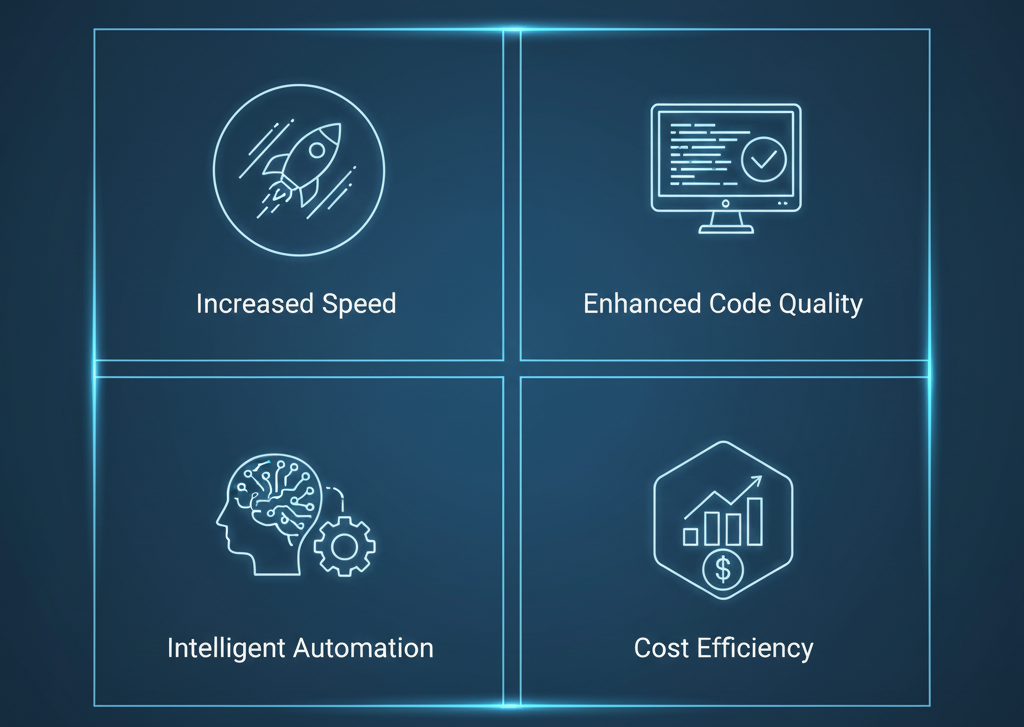
Understanding the benefits of AI in web development helps explain why this technology has become essential rather than optional for modern development teams.
Accelerated Development Cycles
AI code generation dramatically reduces the time spent on repetitive tasks. What used to take hours of manual coding now happens in seconds with AI coding assistant tools. This acceleration doesn’t just save time—it allows developers to iterate faster, experiment more freely, and deliver projects ahead of schedule.
Enhanced Code Quality
Machine learning web development tools learn from millions of code repositories, identifying patterns and best practices that even experienced developers might miss. The result is cleaner, more maintainable code with fewer bugs and security vulnerabilities.
Cost Efficiency
Automated coding tools reduce development costs significantly. Projects that once required large teams can now be handled by smaller, more efficient groups using AI web design tools. This efficiency translates directly to better ROI for businesses investing in web development.
Lower Learning Curve
AI tools for web developers 2025 make advanced techniques accessible to developers at all skill levels. Junior developers can leverage AI-powered development to produce senior-level code quality, while senior developers can tackle problems that would have been impossibly complex just a few years ago.
Improved Accessibility
AI website generator platforms have democratized web development. Small businesses that couldn’t afford custom development can now create professional websites using intelligent systems that handle design, content, and optimization automatically.
Continuous Optimization
Unlike human developers who move on after deployment, AI web design tools can continuously monitor and optimize websites. They adjust performance, fix emerging issues, and adapt to changing user behaviors without manual intervention.
The 12 Most Powerful AI in Web Development Tools
After testing dozens of platforms, these twelve tools have earned permanent spots in my development toolkit. Each one solves a specific problem exceptionally well, and together they represent the cutting edge of AI in web development.

1. GitHub Copilot: Your AI Coding Partner
Best for: Real-time code suggestions across all languages
GitHub Copilot is like having a senior developer constantly looking over your shoulder—except this one never gets tired, doesn’t judge your variable names, and suggests solutions before you even finish typing. This AI coding assistant has transformed how developers write code in 2025.
What makes it essential:
- Understands context from your entire codebase, not just the current file
- Generates complete functions from comments or function names
- Suggests tests automatically for your code
- Works seamlessly inside VS Code, JetBrains IDEs, and Neovim
I use Copilot for everything from writing API endpoints to generating test cases. Just yesterday, I wrote a comment describing a complex data transformation I needed, and Copilot generated the entire function—complete with error handling and edge case management. It wasn’t perfect, but it gave me a 90% solution in three seconds through intelligent code completion.
Pricing: $10/month for individuals, $19/month for business
Pro tip: The more descriptive your function names and comments, the better Copilot’s suggestions. Treat it like explaining code to a junior developer who’s really, really fast at typing.
2. Cursor: The AI-First Code Editor
Best for: Developers who want AI deeply integrated into their editor
Cursor isn’t just a code editor with AI features bolted on—it’s built from the ground up around AI collaboration. If Copilot is your coding assistant, Cursor is your entire AI-powered development environment for mastering AI in web development.
What makes it different:
- Chat with your codebase to understand complex projects
- Edit multiple files simultaneously with AI suggestions
- Natural language commands to refactor entire sections
- Built on VS Code, so all your extensions work
The killer feature for me is the ability to highlight a chunk of code and ask, “Why is this causing a memory leak?” Cursor analyzes the code, checks related files, and often identifies issues I would have spent hours debugging. This automated coding tool has become indispensable for complex projects.
Pricing: Free tier available, Pro at $20/month
3. v0.dev by Vercel: Instant UI Generation
Best for: Frontend developers who need UI components fast
This is where things get wild. v0.dev generates production-ready React components from text descriptions. You type “a pricing table with three tiers, toggle for monthly/annual billing, and a feature comparison,” and it builds it—complete with responsive design and accessibility features. It’s a perfect example of AI code generation at its finest.
Why it’s revolutionary:
- Creates complete components with TypeScript and Tailwind
- Generates multiple variations to choose from
- Produces clean, maintainable code you can actually use
- Integrates directly with Shadcn UI components
I’ve used v0.dev to prototype entire landing pages in under an hour. The code quality is legitimate—not the spaghetti mess you might expect from generated code. It follows React best practices and produces something you’d be proud to ship.
Pricing: Free with Vercel account, premium features in development
Learn more about modern UI development in this comprehensive React documentation guide.
4. ChatGPT for Development: Beyond Basic Queries
Best for: Problem-solving, architecture planning, and learning
Yes, everyone knows ChatGPT, but most developers aren’t using it to its full potential. It’s not just for “how do I center a div”—it’s become an indispensable architecture advisor and debugging partner for AI in web development. This AI developer tool 2025 excels at complex problem-solving.
How I actually use it:
- Explaining complex codebases when onboarding to new projects
- Designing database schemas for new features
- Debugging cryptic error messages with full stack traces
- Reviewing my code for security vulnerabilities
Last month, I was stuck on a React performance issue that was tanking frame rates. I pasted my component into ChatGPT, explained the problem, and within two exchanges, it identified an unnecessary re-render loop I’d completely missed. Saved me at least three hours of profiling with this AI-powered development tool.
Pricing: Free tier available, Plus at $20/month, Pro at $200/month
5. Figma AI: Design Meets Intelligence
Best for: UI/UX design automation and asset generation
Figma’s AI features have transformed it from a design tool into a complete design assistant. The AI tools for UI/UX design capabilities help bridge the gap between concept and implementation in the AI in web development workflow. These AI web design tools are essential for modern designers.
Key features:
- Auto-layout suggestions that actually make sense
- Component variant generation from a single design
- Background removal and image editing built-in
- Smart text generation for placeholder content
The auto-layout feature alone has saved me countless hours. Instead of manually adjusting spacing and alignment, Figma’s AI understands design intent and suggests proper layout structures. It’s like having a design system expert constantly optimizing your work.
Pricing: Free for individuals, Professional at $12/month, Organization at $45/month
6. Wix Studio: AI Website Builder Excellence
Best for: Rapid website development with AI assistance
Wix Studio represents the evolution of the AI website builder 2025 category. It’s no longer about drag-and-drop simplicity—it’s about AI-powered professional development that exemplifies modern AI in web development. This AI website generator delivers professional results fast.
What’s impressive:
- AI writes complete page sections from descriptions
- Responsive design handled automatically across all breakpoints
- SEO optimization suggestions built into the workflow
- Custom code when you need it, AI generation when you don’t
I recently used Wix Studio for a client who needed a portfolio site in 48 hours. The AI generated the entire layout structure, populated it with optimized placeholder content, and handled all the responsive breakpoints. I spent my time on brand customization rather than technical implementation thanks to automated web development.
Pricing: Free to start, Premium plans from $16/month
7. Framer AI: No-Code Meets Professional Design
Best for: Designers and no-code developers building production sites
Framer AI has cracked the code on making no-code AI builders feel professional rather than limiting. It gives you the freedom of code with the speed of no-code, making it a powerful tool for AI in web development with intelligent code completion.
Why developers like it:
- Generates animations and interactions from descriptions
- Produces actual React components you can export
- Handles complex state management without code
- Real CMS integration for dynamic content
The animation generation is legitimately impressive. Describe the interaction you want—”fade in from bottom with slight bounce on scroll”—and Framer creates it with proper easing and timing. No more fighting with CSS keyframes with these automated coding tools.
Pricing: Free for personal projects, Pro at $15/month per site
8. Tabnine: Context-Aware Code Completion
Best for: Developers who want local AI without sending code to the cloud
Privacy-conscious teams love Tabnine because it can run entirely on your local machine. Your code never leaves your infrastructure, which matters for enterprise and sensitive projects utilizing AI in web development. This AI coding assistant prioritizes security.
Standout features:
- Works offline with local models
- Learns from your team’s coding patterns
- Supports virtually every language and framework
- Integrates with all major IDEs
Tabnine feels less flashy than Copilot but equally capable. It’s particularly strong at maintaining consistency across a codebase because it learns your team’s specific conventions and style through machine learning web development techniques.
Pricing: Free tier available, Pro at $12/month
9. Durable: Complete AI Website Creation
Best for: Small businesses and entrepreneurs needing instant web presence
Durable takes AI website creation tools to their logical extreme: you answer a few questions, and it builds an entire website—content, images, forms, SEO, everything—in about 30 seconds, showcasing the rapid deployment capabilities of AI in web development. This AI website generator is perfect for quick launches.
What it handles:
- Complete site generation from business description
- AI-written copy tailored to your industry
- Relevant stock photos and graphics
- Contact forms and basic CRM integration
I tested this for a friend’s consulting business. From zero to deployed website took literally five minutes. The copy was decent, the design was clean, and the site was actually functional. Not suitable for complex projects, but remarkable for getting something live quickly with AI-powered development.
Pricing: Starts at $12/month with domain included
10. Jasper AI: Content Generation for Developers
Best for: Generating website copy, documentation, and marketing content
Developers hate writing documentation and marketing copy. Jasper AI handles AI content generation for websites so we can focus on the technical challenges we actually enjoy while still delivering complete AI in web development solutions. This AI web design tool excels at content creation.
Best use cases:
- Product descriptions and landing page copy
- Technical documentation from code comments
- SEO-optimized blog content
- Email campaigns for product launches
I use Jasper primarily for client projects where I need to populate websites with actual content rather than Lorem Ipsum. It generates industry-specific copy that’s coherent and often requires only minor editing thanks to advanced AI code generation.
Pricing: Creator plan at $49/month, Pro at $69/month
11. Surfer SEO: AI-Powered SEO Optimization
Best for: Ensuring your website ranks in search results
Building a beautiful website means nothing if nobody finds it. Surfer SEO uses AI SEO optimization tools to analyze top-ranking pages and tell you exactly what your content needs to rank, completing the AI in web development ecosystem with intelligent systems.
Key capabilities:
- Content analysis comparing your page to competitors
- Keyword density and placement recommendations
- Technical SEO audit with actionable fixes
- Real-time optimization as you write
The content editor is like having an SEO expert reviewing every paragraph. It flags when you’re using keywords too little (or too much), suggests semantic variations, and even recommends optimal article length based on what’s ranking. These AI developer tools 2025 ensure your content performs.
Pricing: Essential at $89/month, Advanced at $179/month
Discover more about SEO best practices in this comprehensive SEO guide from Moz.
12. AutoRegex: Regex Made Simple
Best for: Generating complex regular expressions from plain English
Regular expressions are powerful but painful. AutoRegex uses AI to translate “email validation that accepts plus signs and subdomains” into actual working regex patterns, simplifying another aspect of AI in web development with automated coding tools.
Why it’s essential:
- Generates regex from natural language descriptions
- Explains existing regex patterns in plain English
- Tests patterns against sample data
- Supports all major regex flavors
This tool has saved me from the inevitable three-hour regex debugging session that happens on every project. Describe what you’re trying to match, get the regex, test it, done. Beautiful simplicity through AI-powered development.
Pricing: Free for basic use, premium features at $5/month
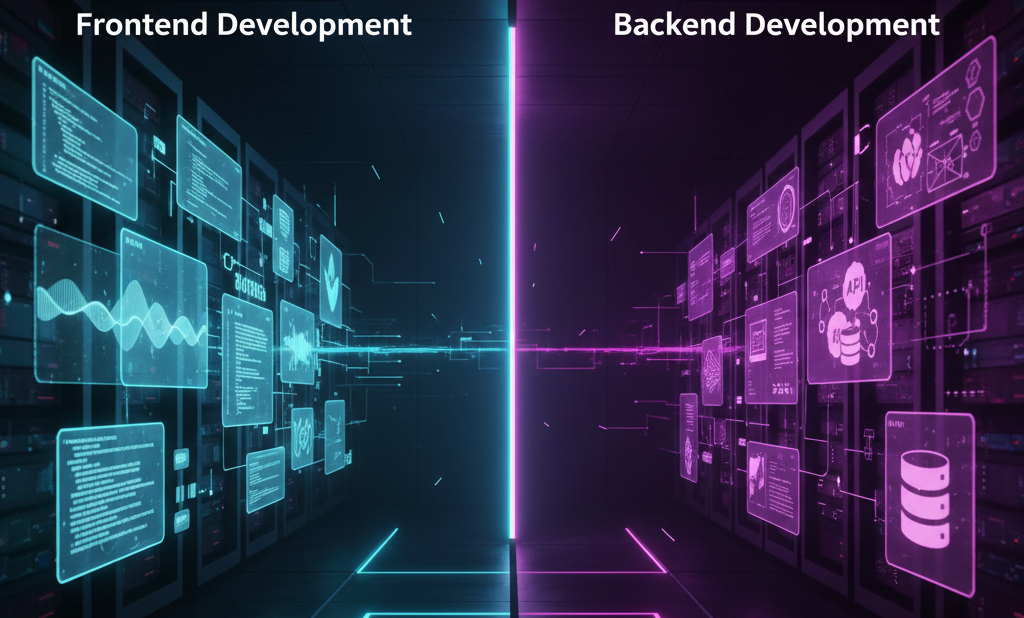
AI Tools for Frontend vs Backend Development
The beautiful thing about web development automation in 2025 is that AI tools now cover the full stack comprehensively. The integration of AI in web development spans every layer of modern applications, from AI web design tools to backend automation.
For Frontend Development:
AI tools for frontend development have become particularly sophisticated. GitHub Copilot and Cursor excel at generating React components, managing state, and handling complex hooks. v0.dev and Framer are game-changers for UI generation, while Figma AI bridges design and development seamlessly with intelligent code completion.
The frontend is where AI in web development shines brightest right now because the patterns are more visual and the output is immediately testable. You can generate a component, see if it looks right, and iterate quickly using AI code generation techniques.
For Backend Development:
AI tools for backend development are catching up fast. Copilot is excellent at scaffolding API routes, writing database queries, and implementing authentication logic. ChatGPT particularly excels at designing database schemas and explaining complex backend architectures with machine learning web development capabilities.
I’ve had ChatGPT generate entire Express servers with proper middleware, error handling, and JWT authentication. The code isn’t always perfect, but it’s a solid foundation that would have taken hours to write from scratch using traditional methods versus AI-powered development.
The Full-Stack Reality:
Most projects need both, and the best AI tools for developers work across the entire stack. The key is using the right tool for each task rather than forcing one solution for everything. This is how to use AI in web development effectively.
At YAAM Web Solutions, we’ve built a workflow that leverages different AI tools at different stages of development—Figma AI for design, v0.dev for component generation, Copilot for implementation, and Surfer SEO for optimization. This multi-tool approach delivers better results than relying on any single platform.
How to Use AI in Web Development for Maximum Results
Understanding how to use AI in web development effectively is crucial for maximizing productivity and code quality. Here’s my comprehensive framework for integrating AI tools for web developers 2025 into your workflow.

Start with Your Biggest Pain Point
If you spend hours debugging, prioritize AI coding assistant tools like Copilot or Cursor. If design is your bottleneck, focus on AI web design tools like Figma AI or v0.dev. If content creation drains your time, Jasper is your answer. The key is strategic implementation of AI in web development.
Layer Your AI Tools Strategically
Don’t rely on a single tool. Combine AI website generator platforms with AI code generation tools and AI SEO optimization tools for comprehensive coverage. For example, use Figma AI for initial design, v0.dev for component scaffolding, Copilot for custom logic, and Surfer SEO for optimization.
Consider Your Team’s Skill Level
No-code AI builders like Framer and Wix Studio are perfect for teams with strong designers but limited development resources. Traditional automated coding tools like Tabnine work better for experienced engineering teams already familiar with AI in web development and machine learning web development principles.
Maintain Quality Control
AI-powered development accelerates work but doesn’t eliminate the need for human oversight. Always review AI code generation output, test thoroughly, and refine based on your specific requirements. The benefits of AI in web development come from collaboration, not blind automation.
Factor in Privacy Requirements
Enterprise clients often require on-premises AI. Tabnine’s local models or self-hosted GitHub Copilot Business become essential rather than optional for sensitive projects. Understanding these requirements helps you choose the right AI developer tools 2025.
Budget Realistically for ROI
Most AI tools for web developers 2025 offer free tiers that are surprisingly capable. Start there, identify what actually improves your workflow, then invest in premium features that demonstrate clear ROI. Track time saved and quality improvements to justify costs.
Test Compatibility Thoroughly
The best AI tool is worthless if it doesn’t integrate with your current development environment. Check IDE support, framework compatibility, and whether it plays nice with your CI/CD pipeline before committing to any automated web development solution.
Stay Updated on New Capabilities
The AI in web development space evolves rapidly. What was impossible six months ago might now be standard. Follow tool updates, experiment with new features, and continuously refine your workflow to maintain competitive advantage.
The Future of Web Development with AI
Here’s what I see coming in the next 12-18 months based on current trajectories in AI in web development and AI-powered development:

AI Will Handle Entire Feature Implementations
We’re moving from “generate this function” to “build this complete feature including frontend, backend, tests, and documentation.” Some AI developer tools 2025 are already approaching this capability with advanced AI code generation and intelligent code completion.
Natural Language Will Become a Primary Programming Interface
Describing what you want in plain English will often be faster than coding it manually. The AI in web development paradigm is already making this a reality with plugins generated from descriptions. This represents the future of automated coding tools.
Debugging Will Be Mostly Automated
AI coding assistant platforms will not only identify bugs but fix them autonomously, submitting pull requests for your review. This is already happening experimentally with some tools, showing the potential of machine learning web development.
Design-to-Code Will Be Instantaneous
The gap between Figma mockup and production React component will shrink to seconds. v0.dev is just the beginning of this trend in AI in web development, with AI web design tools becoming increasingly sophisticated.
Personalization Will Become Standard
AI will optimize websites differently for each visitor based on their behavior, device, and preferences—all happening automatically without manual A/B testing. This demonstrates the advanced benefits of AI in web development for user experience.
Intelligent Systems Will Self-Optimize
Future AI website generator platforms won’t just build sites—they’ll continuously improve them based on user data, performance metrics, and emerging best practices. The evolution from static AI-powered development to dynamic optimization is inevitable.
The developers who thrive will be those who embrace AI in web development as a collaborative tool rather than viewing it as a threat. We’re not being replaced; we’re being augmented. The boring parts are being automated so we can focus on the creative, strategic, and genuinely interesting challenges.
Frequently Asked Questions
Will AI replace web developers?
No, and here’s why: AI in web development automates repetitive tasks and accelerates implementation, but it doesn’t understand business requirements, client needs, or creative vision. What’s actually happening is that developers are moving up the value chain—spending less time typing code and more time on architecture, strategy, and solving complex problems. AI in web development is a collaboration tool, not a replacement. The demand for skilled developers using AI tools for web developers 2025 is actually increasing, not decreasing.
What are the best AI tools for developers in 2025?
Based on current usage and capabilities, the top five AI developer tools 2025 are GitHub Copilot for AI code generation, Cursor for AI-integrated development environments, v0.dev for instant UI components, ChatGPT for problem-solving and architecture, and Figma AI for design automation. The “best” tool depends on your specific workflow and needs, but these five cover the most critical aspects of modern AI in web development with intelligent code completion and automated coding tools.
Can AI build a complete website?
Yes, AI website generator tools like Durable, Wix Studio, and Framer AI can generate complete functional websites from descriptions using AI-powered development. However, these work best for standard business websites and landing pages. Complex web applications with custom functionality still require human developers to handle business logic, integrations, and unique features that AI can’t infer from prompts alone. Understanding how to use AI in web development effectively means knowing when to use AI website builder platforms and when to code manually.
How much do AI coding tools cost?
Most AI tools for web development range from free to $20/month for individual plans. GitHub Copilot costs $10/month, Cursor Pro is $20/month, and ChatGPT Plus is $20/month. Enterprise plans with advanced features typically range from $50-200/month. Many AI developer tools 2025 offer free tiers that are surprisingly capable for individual developers and small projects, making the benefits of AI in web development accessible to everyone.
Are AI-generated websites good for SEO?
AI website creation tools have gotten remarkably good at SEO fundamentals—proper heading structure, meta tags, semantic HTML, and mobile responsiveness. However, ranking well still requires quality content, proper keyword research, and ongoing optimization. AI web design tools like Surfer SEO help bridge this gap by providing AI-powered content optimization that actually improves search rankings. Combining an AI website generator with AI SEO optimization tools delivers the best results.
Do I need coding experience to use AI web development tools?
It depends on the tool. No-code AI builders like Framer, Wix Studio, and Durable require zero coding knowledge and can produce professional websites through automated web development. However, AI coding assistant tools like GitHub Copilot and Cursor are designed to accelerate developers who already understand programming concepts. The middle ground—tools like v0.dev—work best when you understand React basics even if you’re not an expert. The benefits of AI in web development scale with your skill level.
Can AI help with WordPress development?
Absolutely. ChatGPT and Copilot are excellent for generating WordPress plugins, custom theme code, and solving WordPress-specific challenges. AI in web development for WordPress has advanced to where you can describe a plugin’s functionality and get working PHP code that follows WordPress coding standards through AI code generation. However, understanding WordPress architecture and best practices still matters for production-ready solutions. Using AI tools for web developers 2025 makes WordPress development significantly faster.
How is AI changing web development workflows?
AI in web development is fundamentally reshaping how we work. Developers now spend less time on boilerplate code and more time on architecture and problem-solving thanks to automated coding tools. Design-to-code cycles have shortened from days to hours with AI web design tools. Debugging is faster with AI-assisted troubleshooting through AI coding assistant platforms. Teams can prototype ideas in minutes rather than weeks, leading to more experimentation and innovation. The overall effect is dramatically increased productivity without sacrificing quality, demonstrating the clear benefits of AI in web development.
What’s the difference between AI coding assistants and no-code builders?
AI coding assistant tools like GitHub Copilot and Tabnine help developers write code faster by suggesting completions, generating functions, and debugging through intelligent code completion. They require programming knowledge to use effectively. No-code AI builders like Framer and Wix Studio let you create websites through visual interfaces and natural language descriptions without writing code using AI website generator technology. Both are valuable but serve different users—AI coding assistants for developers, AI website builder platforms for designers and non-technical creators. Understanding how to use AI in web development means choosing the right tool category for your needs.
Are AI development tools secure?
Security varies by tool. Some like Tabnine offer local processing where code never leaves your machine—ideal for sensitive projects requiring on-premises AI-powered development. Others like GitHub Copilot and ChatGPT send code to cloud servers for processing, which may violate enterprise security policies. Always review each tool’s security practices, check if they offer on-premises options, and ensure they comply with your organization’s data handling requirements. Most reputable AI developer tools 2025 now offer enterprise versions with enhanced security and compliance features for machine learning web development.
What are the main benefits of AI in web development?
The benefits of AI in web development include dramatically faster development cycles through AI code generation, enhanced code quality via intelligent code completion, reduced costs with automated coding tools, lower learning curves for junior developers, improved accessibility through AI website generator platforms, and continuous optimization with AI-powered development systems. These tools transform how developers work, allowing focus on creative problem-solving rather than repetitive tasks. The combination of AI web design tools, AI coding assistant platforms, and AI SEO optimization tools creates a comprehensive ecosystem that delivers better results faster.
Final Thoughts
AI in web development isn’t the future anymore—it’s the present. The AI tools for web developers 2025 I’ve covered here aren’t experimental or bleeding-edge; they’re production-ready technologies that thousands of developers use daily to build better websites faster through AI-powered development.
The biggest mistake you can make right now is dismissing these automated coding tools as “cheating” or assuming they’re not ready for serious work. I thought the same thing two years ago, and I wasted months doing things the hard way while competitors who embraced AI in web development were shipping circles around me using intelligent code completion and AI code generation.
Start small. Pick one AI coding assistant or AI website builder from this list that addresses your biggest frustration. Use it for a week. If it doesn’t clearly improve your workflow, try a different one. But I’d bet money that within a month, you’ll wonder how you ever worked without these AI developer tools 2025 and you’ll be exploring how to use AI in web development across your entire stack.
The developers winning right now aren’t the ones with the most experience or the deepest technical knowledge—they’re the ones who most effectively collaborate with AI in web development tools to amplify their capabilities. They understand the benefits of AI in web development and leverage AI web design tools, automated web development platforms, and machine learning web development techniques to deliver exceptional results.
Ready to transform your web development workflow with AI? At YAAM Web Solutions, we specialize in building cutting-edge websites using the latest AI in web development tools and technologies. Our team stays at the forefront of web development innovation, delivering exceptional results faster and more efficiently than traditional approaches through AI-powered development and intelligent systems.
Whether you need a complete website overhaul using an AI website generator, custom web application with advanced AI code generation, or expert guidance on integrating automated coding tools into your development process, we’ve got the expertise to make it happen. We combine the power of AI coding assistant platforms with human creativity to deliver solutions that exceed expectations.
Visit YAAM Web Solutions to discover how we can help you leverage AI technology for your next project. From AI-powered design with AI web design tools to automated SEO optimization using AI SEO optimization tools, we deliver websites that don’t just look great—they perform exceptionally and rank competitively in search results.

The future of web development is already here. The only question is whether you’ll be part of it or left behind watching others build faster, smarter, and better with AI in web development, AI developer tools 2025, and the comprehensive benefits of AI in web development. Choose wisely.




Your article helped me a lot, is there any more related content? Thanks!
The CBD collection – cbd gummies cost offers a assortment of formats that please other preferences, and each a certain feels grandly executed. The lubricate appears clean and accordance, the packaging materials bear long-lasting, and the connivance is lucid until now elegant. The products are foolproof to stock and travel with, thanks to make fast lids and compressed sizing. Entire, the label delivers a polished and carefully crafted feel without unnecessary extras.
The hint of this terpene blend – terpenes pinene is really unclutter and true to life, not too strong but hush noticeable in the overcome way. It blends smoothly and adds a much better flavor study without compelling the entirety else. Flush a close amount makes a contradistinction, which says a lot with reference to the quality. The packaging was healthy, shipping was faithful, and the whole experience felt reliable. Unquestionably sound product and one I’d providentially uncalled-for again.
The CBD aggregation – hybrid thc gummies offers a multifariousness of formats that fill someone’s needs different preferences, and each a certain feels ok executed. The unguent appears dry-clean and consistent, the packaging materials sensible of durable, and the design is unostentatious besides elegant. The products are comfortable to store and fraternize with, thanks to secure lids and compressed sizing. Total, the maker delivers a impeccable and carefully crafted experience without surplus extras.
Thank you for your sharing. I am worried that I lack creative ideas. It is your article that makes me full of hope. Thank you. But, I have a question, can you help me?
Thank you for your sharing. I am worried that I lack creative ideas. It is your article that makes me full of hope. Thank you. But, I have a question, can you help me?
Thank you for your sharing. I am worried that I lack creative ideas. It is your article that makes me full of hope. Thank you. But, I have a question, can you help me?
Thank you for your sharing. I am worried that I lack creative ideas. It is your article that makes me full of hope. Thank you. But, I have a question, can you help me?
Your point of view caught my eye and was very interesting. Thanks. I have a question for you.
Your article helped me a lot, is there any more related content? Thanks!
References:
Lollybet Casino Paysafecard google.com.cy
References:
Lollybet App http://cse.google.co.ck/url?sa=t&url=http://lollybet.com.de
Thank you for your sharing. I am worried that I lack creative ideas. It is your article that makes me full of hope. Thank you. But, I have a question, can you help me? https://www.binance.com/es/register?ref=RQUR4BEO
Thanks for sharing. I read many of your blog posts, cool, your blog is very good. https://www.binance.com/register?ref=IHJUI7TF
References:
Lucky Elf Casino Bonus myriad-online.com
References:
Candy Casino Erfahrungen https://s3.amazonaws.com/new-casino/Legiano-Casino-Login.html
References:
%random_anchor_text% https://werkstraat.com/companies/einloggen-registrieren-de
References:
Winsane Casino Auszahlung https://git.danpeak.co.uk/anyan86354485
References:
Candy96 Casino no deposit bonus talenthubsol.com
References:
Candy96 sign in https://winesandjobs.com/
References:
Play It Casino Bonus ohne Einzahlung https://www.textise.net/showtext.aspx?strurl=link.mym.ge/lillianaburden
References:
Candy 96 online casino australia https://jandlfabricating.com/employer/candy96-australia-18-no-deposit-fast-osko-payid-cashouts-vip-perks-2025
References:
Vulcan Casino Test gcores.com
References:
Rolletto Casino Einzahlung https://cm.lesta.ru
References:
Flagman Casino Erfahrungen https://www.mauocsp.ru
References:
Hitnspin Casino Test studyladder.com.au
Thanks for sharing. I read many of your blog posts, cool, your blog is very good.
I don’t think the title of your article matches the content lol. Just kidding, mainly because I had some doubts after reading the article. https://accounts.binance.com/pt/register-person?ref=KDN7HDOR
Your article helped me a lot, is there any more related content? Thanks! https://accounts.binance.bh/register/person?ref=QCGZMHR6
Thanks for sharing. I read many of your blog posts, cool, your blog is very good. https://www.binance.bh/register?ref=QCGZMHR6
zithromax antibiotic without prescription: Rapid Zithro Direct – zithromax coupon
https://isocleardirect.com/# buy accutane online
https://cardiostatindirect.com/# buy generic atorvastatin 10mg
https://indocureglobal.com/# medicines from india
canadian pharmacy meds: AuroraMedsDirect – canadian pharmacy ltd
https://omnirxdirect.com/# medicine online order
online generic medicine india: IndoCure Global – best indian pharmacy website
online chemists: IndoCure Global – online medicine delivery in india
https://omnirxdirect.shop/# pharmacy no prescription required
https://sierramedsrx.shop/# online mexico pharmacy usa
legitimate mexican pharmacy online: SierraMedsRx – is mexican pharmacy store legit
http://sierramedsrx.com/# medicine from mexico
order medication from mexico SierraMeds Rx farmacias mexicanas
http://antibiodirect.com/# online antibiotics
http://auroramedsdirect.com/# safe canadian pharmacy
online pharmacy: OmniRxDirect – no prescription pharmacy paypal
otc antibiotics: AntiBio Direct – antibiotics drugs
http://antibiodirect.com/# generic antibiotics
http://omnirxdirect.com/# medstore online pharmacy
pharmacy no prescription required OmniRx Direct online pharmacies
canadian pharmacies that ship to usa: AuroraMeds Direct – safe canadian pharmacy
http://omnirxdirect.com/# safe online pharmacies
http://auroramedsdirect.com/# safe canadian pharmacy
no rx needed pharmacy: OmniRx Direct – legitimate online pharmacy
safe online pharmacies: OmniRx Direct – reputable overseas online pharmacies
https://antibiodirect.com/# prescription antibiotic
https://antibiodirect.shop/# generic antibiotics
canadian online pharmacy AuroraMeds Direct canadian drug pharmacy
best indian pharmacy website: IndoCure Global – best indian pharmacy website
http://indocureglobal.com/# best online pharmacy no prescription
https://omnirxdirect.shop/# online pharmacy no rx
top online pharmacy: OmniRx Direct – no prescription needed pharmacy
canadian pharmacy king: AuroraMeds Direct – online canadian drugstore
http://auroramedsdirect.com/# certified canadian international pharmacy
https://sierramedsrx.com/# mail order pharmacy mexico
mexican mail order pharmacy: SierraMedsRx – mexican pharmacies that ship to us
http://auroramedsdirect.com/# canadian pharmacy world
the canadian pharmacy AuroraMeds Direct best online canadian pharmacy
http://indocureglobal.com/# india pharmacy mail order
https://sierramedsrx.com/# pharmacys in mexico
antibiotics online pharmacy: AntiBio Direct – antibiotic without presription
reliable canadian pharmacy: AuroraMedsDirect – canadian pharmacy service
https://omnirxdirect.shop/# online pharmacy without scripts
https://auroramedsdirect.shop/# best online canadian pharmacy
mexican pharmacy official website: SierraMedsRx – mexico pharmacy
online pharmacy store IndoCure Global online pharmacy store
https://antibiodirect.com/# generic antibiotics online cheap
http://auroramedsdirect.com/# canadian pharmacy official website
mexican pharmacy store reviews: SierraMedsRx – mexico pharmacy order online usa
safe online pharmacies: OmniRx Direct – best online pharmacy
http://omnirxdirect.com/# best mail order pharmacy
https://indocureglobal.com/# pharmacy order online
pharmacies in canada that ship to the us: AuroraMedsDirect – top canadian pharmacy
reputable canadian online pharmacy AuroraMedsDirect canadian pharmacy store
https://indocureglobal.com/# indian pharmacy online
https://omnirxdirect.shop/# legit online pharmacy
secure medical online pharmacy: OmniRxDirect – online pharmacy
http://auroramedsdirect.com/# legitimate canadian online pharmacy
Over the counter antibiotics pills: AntiBioDirect – generic antibiotics online pharmacy
https://omnirxdirect.shop/# worldwide pharmacy
online pharmacies: OmniRx Direct – п»їinternational drug mart
https://auroramedsdirect.com/# canadian pharmacy legit
http://omnirxdirect.com/# best rx pharmacy online
п»їcanadian pharmacy AuroraMeds Direct reliable canadian pharmacy
rybelsus tablet: semaglutide and thyroid cancer – semaglutide with b12 for weight loss reviews
can you get gabapentin: NeuroReliefDirect – gabapentin extended release depomed
https://metocardiorx.com/# Lopressor side effects
best online pharmacy no prescription: hydropressdirect – secure medical online pharmacy
low dose semaglutide: does rybelsus cause gas – para que sirve rybelsus 7 mg
secure medical online pharmacy hydropressdirect online pharmacy without prescription
Lopressor oral solution price: MetoCardioRx – metoprolol succinate contraindications
https://semaoraldirect.com/# get semaglutide
online pharmacy: quetiapine – trustworthy online pharmacy
https://neuroreliefdirect.shop/# gabapentin side effects heartburn
gabapentin depletes nutrients: Neuro Relief Direct – where to buy fluoxetine
http://metocardiorx.com/# other names for Lopressor
lopressor generic vs brand: MetoCardio Rx – Lopressor oral solution price
reputable online pharmacy no prescription: QuetiCareRx – no script pharmacy
cost of rybelsus SemaOral Direct rybelsus semaglutide what is rybelsus
https://queticarerx.shop/# online pharmacy no prescription needed
overseas online pharmacy: queticarerx – best online pharmacy
secure medical online pharmacy: hydropressdirect – best online pharmacy no prescription
http://hydropressdirect.com/# best rx pharmacy online
https://hydropressdirect.shop/# overseas pharmacy no prescription
trustworthy online pharmacy: hydropressdirect – trustworthy online pharmacy
gabapentin cheap: neuroreliefdirect – fluoxetine generic
top online pharmacy Hydrochlorothiazide reputable online pharmacy no prescription
medicine online order: Seroquel – top-rated online pharmacies
how to buy gabapentin: neuroreliefdirect – how to stop taking gabapentin
http://queticarerx.com/# best mail order pharmacy
https://metocardiorx.shop/# lopressor rxlist used for
best mail order pharmacy: Seroquel – reliable online pharmacy
top online pharmacy: Hydrochlorothiazide – pharmacy order online
trusted online pharmacy hydropressdirect п»їinternational drug mart
medstore online pharmacy: Hydrochlorothiazide – п»їinternational drug mart
http://hydropressdirect.com/# no rx needed pharmacy
can you take gabapentin with dayquil: Neuro Relief Direct – gabapentin and 100mg and dosage
semaglutide bloating: novo nordisk semaglutide – pros and cons of rybelsus
https://hydropressdirect.com/# safe online pharmacies
is oral semaglutide effective: semaglutide brand name – rybelsus otc
https://neuroreliefdirect.shop/# gabapentin arm pain
compounded semaglutide fda rybelsus egfr cut off semaglutide diarrhea
when does gabapentin stop working: neuroreliefdirect – glenmark gabapentin gluten free
semaglutide dosage: SemaOral Direct – weight watchers semaglutide cost
http://neuroreliefdirect.com/# contraindications gabapentin
rybelsus how to take: SemaOral Direct – how much weight can i lose on rybelsus
best online pharmacy no prescription: Seroquel – pharmacy order online
https://hydropressdirect.shop/# no prescription pharmacy paypal
https://metocardiorx.shop/# Lopressor oral solution prescription
best online pharmacy: queticarerx – worldwide pharmacy online
kegunaan obat gabapentin NeuroReliefDirect gabapentin brand name
generic for Lopressor: MetoCardioRx – toprol xl
http://semaoraldirect.com/# rybelsus cost goodrx
gabapentin sr tablets: NeuroReliefDirect – gabapentin results
no script pharmacy: queticarerx – pharmacy online
https://hydropressdirect.shop/# online pharmacy no prescription needed
https://semaoraldirect.com/# rybelsus and anesthesia
metoprolol succinate toprol: metocardiorx – metoprolol tartrate lopressor 50 mg tablet
worldwide pharmacy hydropressdirect legal online pharmacy
trusted online pharmacy: Seroquel – safe online pharmacies
https://neuroreliefdirect.shop/# gabapentin arm pain
how much gabapentin should i take for rls: neuroreliefdirect – is gabapentin safe for anxiety
how much weight can i lose on rybelsus: rybelsus weight loss side effects – how to get semaglutide with insurance
https://semaoraldirect.shop/# semaglutide contraindications
https://neuroreliefdirect.shop/# can you get fluoxetine
can you take januvia and rybelsus together: SemaOral Direct – semaglutide pancreatitis
pharmacokinetics and metabolism of gabapentin in rat dog and man: NeuroReliefDirect – gabapentin acute pain management
secure medical online pharmacy HydroPress Direct reliable online pharmacy
https://neuroreliefdirect.com/# to buy gabapentin 600 mg
how long does it take for gabapentin to relieve anxiety: Neuro Relief Direct – gabapentin neurontin side effects
rybelsus effectiveness for weight loss: SemaOralDirect – rybelsus 1mg
https://neuroreliefdirect.shop/# can you take gabapentin with fioricet
http://queticarerx.com/# us pharmacy no prescription
online pharmacy no prescription needed: hydropressdirect – pharmacy online
best online pharmacy: QuetiCare Rx – shop medicine online
http://hydropressdirect.com/# no rx needed pharmacy
semaglutide 1mg: SemaOralDirect – when to take rybelsus
best rx pharmacy online: Hydrochlorothiazide – top online pharmacy
https://queticarerx.com/# online pharmacy no rx
safe canadian pharmacy: CanGet Rx – trusted canadian pharmacy
http://mexgetrx.com/# pharma mexicana
my canadian pharmacy: CanGetRx – legit canadian online pharmacy
http://cangetrx.com/# online pharmacy canada
canadian pharmacy legit CanGetRx online canadian pharmacy
https://mexgetrx.com/# mexican meds
canadian pharmacy ltd: CanGet Rx – cipa canada online pharmacy
https://cangetrx.shop/# canadian online pharmacy
mexican online pharmacy buy medicine: Mex Get Rx – mexican pharmacy online order
mexican pharmacies MexGet Rx reliable mexican pharmacies
buying from online mexican pharmacy: MexGetRx – mexico pharmacy order online birth control
https://indigetrx.com/# reputable indian pharmacies for otc drugs
http://indigetrx.com/# rx pharmacy india
http://mexgetrx.com/# mexico pharmacy order online birth control
rx india online pharmacy: buy medication from india – buy medicine from india
http://indigetrx.com/# indian pharmacies in usa
legitimate mexican pharmacy online: mexican pharmacies online – purple pharmacy online
http://cangetrx.com/# canadian pharmacy compare
farmacia mexicana online MexGetRx mexico medicine
cheapest mexican prescription drugs: MexGetRx – the purple pharmacy mexico
https://cangetrx.com/# canada pharmacy online
http://indigetrx.com/# buy medicines online
mexican pharmacies that ship: MexGet Rx – mexican drug store
http://cangetrx.com/# reputable canadian pharmacy
http://mexgetrx.com/# mexican drugstore
indian online pharmacy: IndiGetRx – pharmacy online shopping
п»їcanadian pharmacy Can Get Rx legit canadian online pharmacy
canada online pharmacy: CanGet Rx – best online canadian pharmacy
http://indigetrx.com/# pharmacy sites
https://mexgetrx.shop/# mexipharmacy website
mexico pharmacy order online birth control: mexico pharmacy ship to us – mexican mail order pharmacy
https://cangetrx.shop/# canadian pharmacy store
https://mexgetrx.shop/# can mexican pharmacies take prescription drugs
does mexican pharmacy sell prescriptions: MexGetRx – order antibiotics from mexico
pharmacy in mexico MexGetRx mexican drug store
online medicine purchase: IndiGetRx – indian online pharmacies list
http://indigetrx.com/# drugstore online
https://mexgetrx.com/# online mexico pharmacy usa