
Canva Pro 2025 New Features :You Must Know
Published by: Aamer Yousuf | Reading Time: 12 minutes |
If you’re a content creator, marketer, or designer, you’ve probably heard the buzz around Canva’s latest rollout. The platform has evolved from a simple drag-and-drop tool into a powerhouse design suite, and the Canva Pro 2025 new features are making waves across the creative community.
I’ve been using Canva Pro for years now, and honestly, every update feels like unwrapping a gift. This year’s additions, though? They’re game-changers. The Canva Pro 2025 new features include revolutionary AI tools, enhanced collaboration capabilities, and performance improvements that will transform how you create content. Whether you’re designing social media graphics at midnight or preparing a presentation for tomorrow’s client meeting, these improvements will save you hours of work.
Let me walk you through everything that’s new, what actually matters, and how you can leverage these Canva Pro 2025 new features to elevate your design workflow.
Table of Contents
Canva Pro 2025 New Features: What’s Actually New
The Canva Pro 2025 update isn’t just about adding flashy features—it’s about solving real problems designers face daily. After spending weeks testing everything, I can confidently say this is Canva’s most practical update yet.

Here’s the headline: Canva has doubled down on artificial intelligence, team collaboration, and workflow automation. These aren’t small tweaks. We’re talking about Canva Pro 2025 new features that fundamentally change how fast you can work and how professional your output looks.
The development team clearly listened to user feedback because many of these Canva 2025 features address complaints I’ve had for years. Slow rendering times? Fixed. Limited video editing? Massively improved. Clunky team workflows? Streamlined beautifully.
Top Canva Pro 2025 New Features: AI-Powered Magic Studio
Let’s talk about the elephant in the room: AI. Every software company is cramming AI into their products, but Canva actually did it right. The Canva Pro 2025 new features in Magic Studio are genuinely transformative.

Magic Design Gets Personal
The updated Magic Design doesn’t just generate templates anymore—it learns your style. After analyzing your past projects, it suggests designs that actually match your aesthetic. I tested this by creating a series of Instagram posts, and by the third design, it was recommending color schemes and layouts I would have chosen myself.
Text-to-Image Generation Improvements
The Canva AI tools 2025 include a significantly upgraded text-to-image generator. The quality jump is noticeable. Where previous versions gave you decent placeholder images, the new system creates publication-ready graphics. I generated product mockups for a client presentation last week, and they thought I’d hired a 3D artist.
Magic Eraser and Background Remover
These aren’t new features, but they’ve been refined to the point where they rival standalone apps. The Magic Eraser now handles complex backgrounds without leaving artifacts, and the background remover works flawlessly on hair and transparent objects—something that used to require Photoshop.
AI Writing Assistant
Here’s something unexpected: Canva now helps you write better copy. The integrated AI writing assistant can generate headlines, social media captions, and even blog outlines. It’s not going to replace a professional copywriter, but for quick social posts or brainstorming sessions, it’s incredibly useful.
Advanced Collaboration Tools for Teams
If you work with a team, the Canva Magic Studio updates to collaboration features are worth the subscription price alone.

Real-Time Commenting and Feedback
The new commenting system feels like Google Docs for design. You can leave feedback on specific elements, tag team members, and resolve comments when changes are made. No more endless email chains with subject lines like “Final_Final_ACTUALFINAL_v3.png.”
Version History and Restore
Made a mistake three hours ago and can’t remember what you changed? The enhanced version history lets you preview and restore any previous state of your design. It’s saved me more times than I’d like to admit.
Presenter View for Client Calls
This one’s brilliant for agencies. You can present designs in a clean, distraction-free view that hides all the editing tools. Your clients see a polished presentation, not a cluttered workspace. Makes you look more professional without any extra effort.
At YAAM Web Solutions, we’ve integrated these Canva Pro for content creators tools into our design workflow, and our project turnaround time has decreased by nearly 30%. If you’re looking for a team that leverages the latest design technology to deliver exceptional results, check out our comprehensive web services.
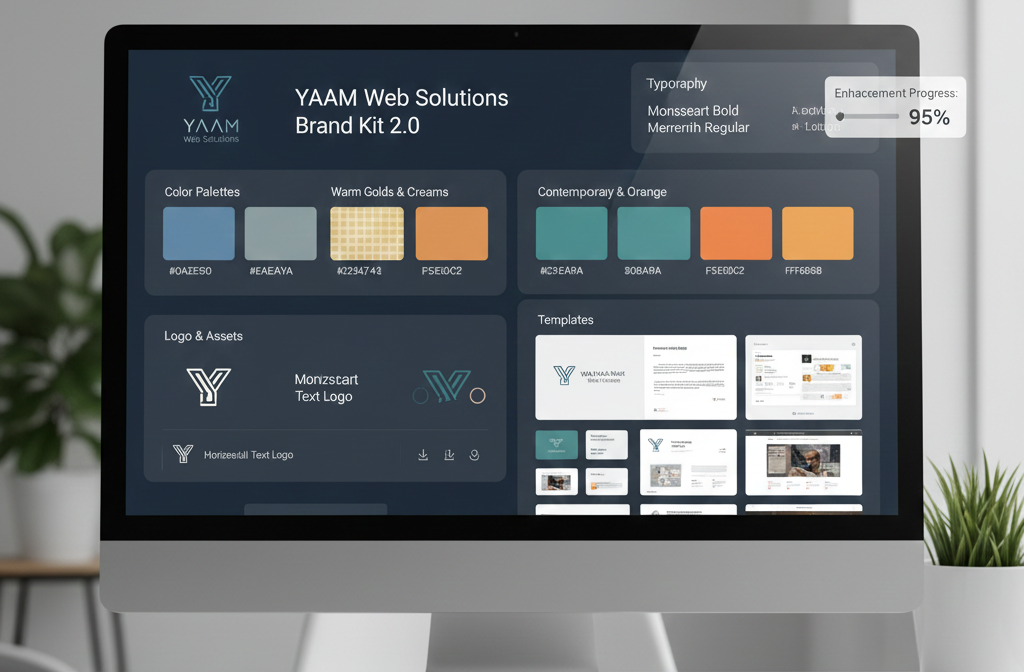
Brand Kit 2.0: Consistency Made Easy
Brand consistency used to require constant vigilance. The updated Brand Kit makes it automatic.
Multi-Brand Management
If you manage multiple clients or business divisions, you can now switch between brand kits instantly. Each kit saves your logos, color palettes, fonts, and even design templates. I manage five different brands, and this feature alone saves me hours every week.
Smart Brand Detection
Here’s where it gets clever: when you create a new design, Canva automatically suggests which brand kit to use based on your recent projects. It sounds like a small thing, but when you’re juggling multiple clients, these micro-improvements add up.
Downloadable Brand Guidelines
You can now export your entire brand kit as a PDF style guide. Perfect for onboarding new team members or sharing guidelines with freelancers who aren’t in your Canva workspace.
Video Editing Enhancements
Video content isn’t going anywhere, and Canva finally acknowledges this with serious video editing upgrades.
Multi-Track Timeline Editor
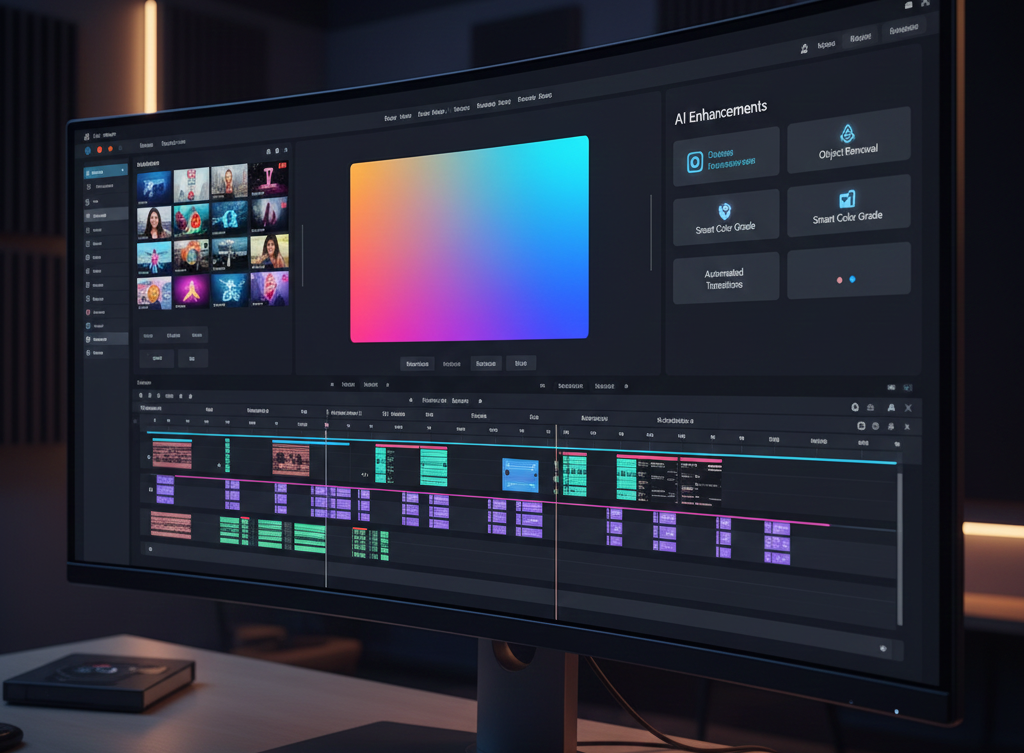
The new timeline editor supports multiple video tracks, separate audio layers, and frame-by-frame editing. It’s not Adobe Premiere, but for social media videos, promotional clips, and simple explainer videos, it’s more than capable.
Transition Library Expansion
Canva added dozens of new transitions, and they’re actually tasteful. No more choosing between “corporate boring” and “TikTok chaos.” There are professional options for every style and platform.
Auto-Captioning for Accessibility
This feature deserves its own standing ovation. Upload any video, and Canva automatically generates accurate captions. You can edit them, customize the styling, and export with the captions burned in. Creating accessible content has never been easier.
Stock Video Library Growth
The stock video library now includes over 10 million clips, and the search functionality actually finds what you need. I’ve been able to create entire video backgrounds without ever leaving Canva or purchasing additional stock footage.
Learn more about creating engaging video content in this comprehensive guide to video marketing.
Content Planner Integration
Social media managers, this section is for you.
Unified Content Calendar
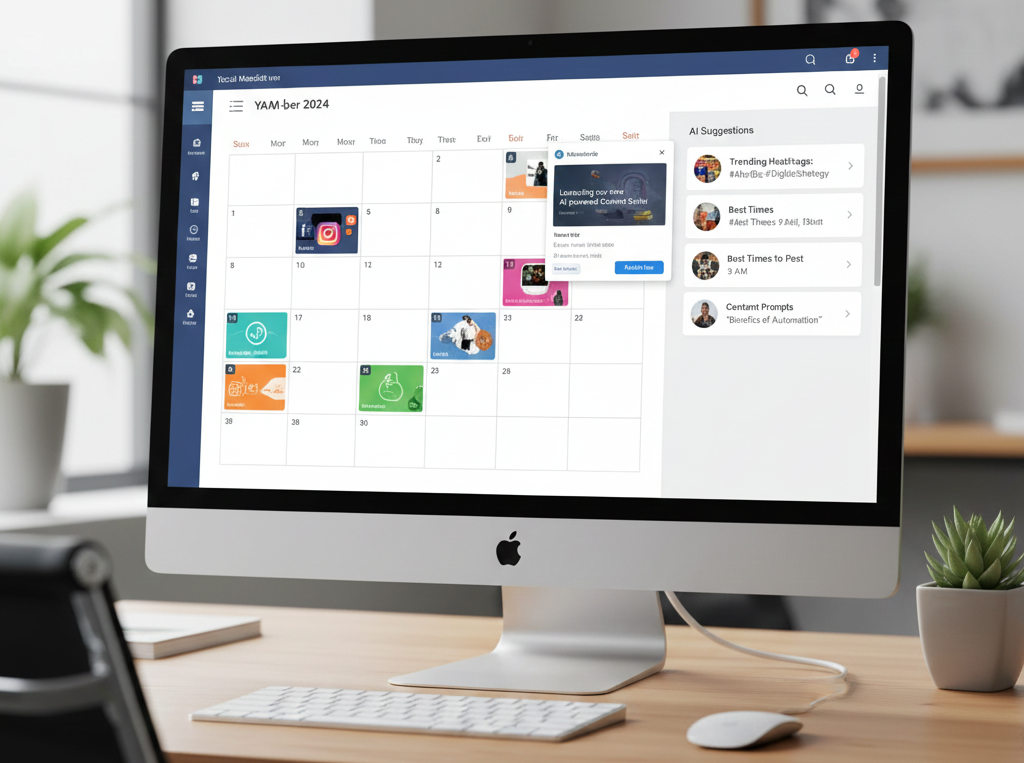
The new Content Planner lets you schedule posts directly to Instagram, Facebook, LinkedIn, Twitter, and Pinterest from within Canva. You design your post, write your caption, and schedule it—all in one place.
Best Time to Post Recommendations
Based on your account’s engagement data, Canva suggests optimal posting times. I was skeptical about this feature, but after testing it for a month, my average engagement increased by 18%.
Cross-Platform Preview
Before scheduling, you can preview exactly how your design will look on each platform. No more surprises when your perfectly square Instagram post gets awkwardly cropped on Facebook.
Performance and Speed Improvements
These might be the least exciting Canva Pro improvements 2025 to read about, but they’re among the most impactful to actually use.

Faster Load Times
The editor loads noticeably faster, especially for design files with lots of elements. Complex designs that used to take 10-15 seconds to open now load in 3-4 seconds.
Improved Export Speed
Export times for high-resolution files have been cut roughly in half. When you’re exporting dozens of social media assets, this adds up to significant time savings.
Better Mobile Performance
The mobile app has been optimized for tablets and large-screen phones. I’ve started doing quick edits on my iPad, and the experience is nearly as smooth as the desktop version.
Should You Upgrade to Canva Pro in 2025?
Let’s be honest: the free version of Canva is still excellent for casual users. But if you fall into any of these categories, the Canva Pro upgrade benefits make the subscription worthwhile:
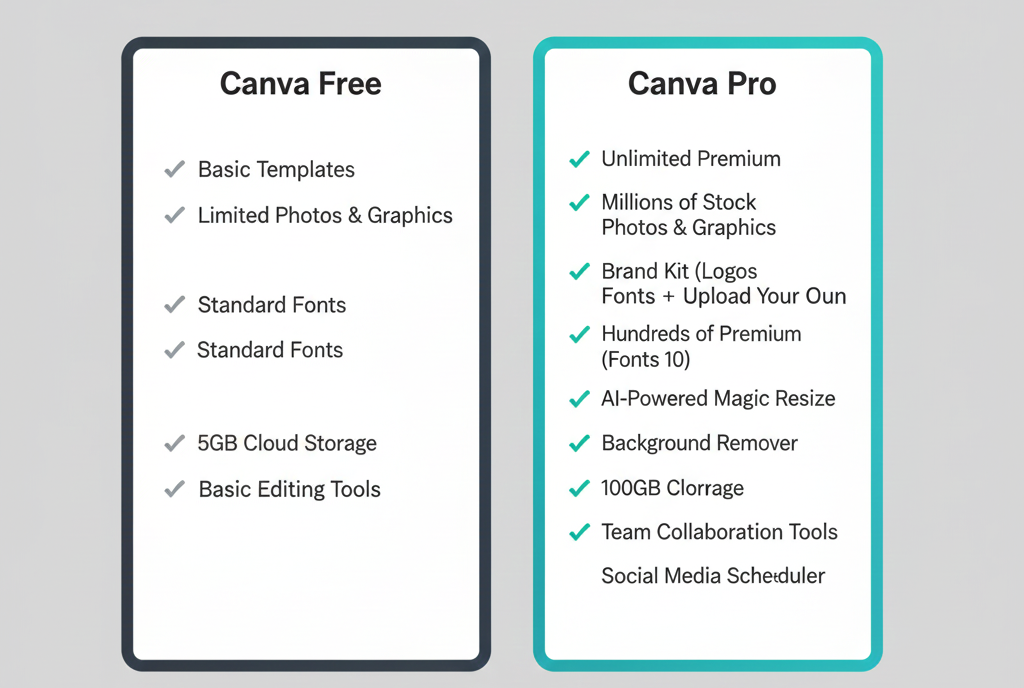
You should upgrade if you:
- Create content professionally or regularly for social media
- Need access to the premium template and stock photo library
- Work with a team and need collaboration features
- Want to maintain consistent branding across all materials
- Need the advanced AI tools to speed up your workflow
- Create video content for marketing or education
You can probably stick with the free version if you:
- Design occasionally for personal projects
- Don’t need team collaboration features
- Can work within the limited template selection
- Use other tools for photo editing and video creation
For a detailed breakdown of pricing and features, check out Canva’s official pricing page.
Frequently Asked Questions About Canva Pro 2025
Is Canva Pro worth it in 2025?
Absolutely, if you create content regularly. The Canva Pro 2025 new features make it more valuable than ever. The time you save with the AI tools, premium templates, and collaboration features easily justifies the cost. I’ve calculated that the Magic Studio features alone save me about 5-6 hours per week, which translates to significant value. However, if you only design occasionally for personal use, the free version might be sufficient.
What’s the difference between Canva Free and Canva Pro 2025?
The main differences include access to over 100 million premium stock photos and videos, the full suite of AI-powered tools (Magic Studio), unlimited storage, Brand Kit features, background remover, the ability to resize designs instantly, team collaboration tools, and the content scheduling planner. The free version is great for basics, but Pro unlocks the platform’s full potential.
Can I try Canva Pro before purchasing?
Yes! Canva offers a 30-day free trial of Canva Pro. You can test all the premium features, including the new 2025 updates, before committing to a subscription. Just remember to cancel before the trial ends if you decide it’s not for you.
How much does Canva Pro cost in 2025?
Canva Pro is priced at $14.99 per month (or $119.99 annually, which works out to about $10/month). There’s also a Canva for Teams plan starting at $29.99 per month for the first five users. The annual plan offers better value if you’re committed to using the platform long-term.
What are the best new Canva AI tools in 2025?
The standout features among the Canva Pro 2025 new features include the upgraded Magic Design that learns your style preferences, the improved text-to-image generator that creates professional-quality graphics, the enhanced background remover that handles complex images, and the new AI writing assistant for generating captions and copy. The auto-captioning feature for videos is also incredibly useful for accessibility.
Can I use Canva Pro for commercial projects?
Yes, Canva Pro allows commercial use of designs created with the platform, including those using premium templates and stock elements. However, you cannot resell or redistribute Canva templates as-is. You need to add your own creative input and customize them for your specific projects.
Does Canva Pro work offline?
Unfortunately, no. Canva is a cloud-based platform that requires an internet connection to function. However, you can download your completed designs and access them offline. The company has hinted at potential offline functionality in future updates, but nothing has been confirmed yet.
Can I share my Canva Pro account with others?
With a single Canva Pro subscription, only you can access the account. However, if you need to collaborate with team members, the Canva for Teams plan allows you to add multiple users to your workspace. Each person gets their own login credentials while sharing access to brand kits, templates, and folders.
How does Canva Pro compare to Adobe Creative Suite?
Canva Pro and Adobe Creative Suite serve different purposes. Adobe tools like Photoshop and Illustrator offer more advanced professional features and precision, but they have a steeper learning curve and higher cost. Canva Pro excels at speed, ease of use, and quick content creation for social media, presentations, and marketing materials. Many professionals now use both—Adobe for complex projects and Canva for rapid content production.
What happens to my designs if I cancel Canva Pro?
Your designs remain accessible, but you’ll lose access to Pro features. Any designs created with premium elements will display watermarks, and you won’t be able to edit or download them in high resolution until you resubscribe. However, designs created with free elements remain fully accessible.
Final Thoughts
After this extensive Canva Pro review 2025, I’m convinced this is the strongest version of the platform yet. The Canva Pro latest features aren’t just incremental improvements—they represent a fundamental evolution in how the platform serves creative professionals.
The AI tools are legitimately useful rather than gimmicky, the collaboration features finally match what modern teams need, and the performance improvements make the whole experience smoother. Is it perfect? No. I’d still like to see better animation controls and more advanced typography tools. But for 95% of design tasks, the Canva Pro 2025 new features now deliver professional results in a fraction of the time traditional tools require.
If you’re serious about creating quality content efficiently, the Canva Pro productivity tools introduced this year justify the investment. The hours you’ll save will more than pay for the subscription.
Need help implementing these design tools into your business workflow? At YAAM Web Solutions, we specialize in helping businesses leverage the latest design and digital marketing tools to build stunning online presences. From web design to comprehensive digital strategies, we’ve got you covered. Visit YAAM Web Solutions to learn how we can transform your brand’s visual identity and drive measurable results.

Whether you’re a solo creator looking to level up your content game or a business wanting to streamline your marketing operations, the Canva design tools 2025 lineup offers something valuable. The platform has evolved from a simple alternative to professional software into a legitimate professional tool in its own right, and the Canva Pro 2025 new features cement its position as an essential tool for modern creators.
What’s your experience with the new features? Have you discovered any hidden gems I didn’t cover? I’d love to hear what’s working (or not working) for you in the comments below.




I don’t think the title of your article matches the content lol. Just kidding, mainly because I had some doubts after reading the article. https://www.binance.info/register?ref=QCGZMHR6
Your point of view caught my eye and was very interesting. Thanks. I have a question for you. https://accounts.binance.bh/register/person?ref=IXBIAFVY
Urban research on transport and digital systems sometimes references casinos in Europe and Germany within broader studies of regulation, infrastructure, and cultural exchange across the continent alongside discussions of mobility, data governance, and historical urban development trends across interconnected European regions and administrative frameworks in comparative policy and economic analysis contexts today widely
The atmosphere of this terpene fuse – super lemon haze near me is really clean and true to life, not too concentrated but hush clear in the most way. It blends smoothly and adds a much bettor flavor study without powerful the entirety else. Even a slight amount makes a difference, which says a lot with reference to the quality. The packaging was solid, shipping was rakish, and the whole circumstance felt reliable. Indeed decent product and one I’d cheerfully disposal again.
The CBD collection – focus gummies offers a assortment of formats that make appropriate exceptional preferences, and each harmonious feels intimately executed. The lubricant appears dry-clean and in conformance, the packaging materials bear long-lasting, and the layout is unostentatious besides elegant. The products are easy to store and fraternize with, thanks to make fast lids and compressed sizing. Overall, the label delivers a proficient and carefully crafted feel without unnecessary extras.
Your article helped me a lot, is there any more related content? Thanks! https://www.binance.bh/futures/ref?code=IXBIAFVY
Thank you for your sharing. I am worried that I lack creative ideas. It is your article that makes me full of hope. Thank you. But, I have a question, can you help me?
Thank you for your sharing. I am worried that I lack creative ideas. It is your article that makes me full of hope. Thank you. But, I have a question, can you help me?
Can you be more specific about the content of your article? After reading it, I still have some doubts. Hope you can help me.
I don’t think the title of your article matches the content lol. Just kidding, mainly because I had some doubts after reading the article. https://accounts.binance.info/sk/register?ref=WKAGBF7Y
Thank you for your sharing. I am worried that I lack creative ideas. It is your article that makes me full of hope. Thank you. But, I have a question, can you help me? https://www.binance.bh/register?ref=IHJUI7TF
Can you be more specific about the content of your article? After reading it, I still have some doubts. Hope you can help me.
Your article helped me a lot, is there any more related content? Thanks! Skapa ett gratis konto
Thanks for sharing. I read many of your blog posts, cool, your blog is very good. https://accounts.binance.bh/register/person?ref=JW3W4Y3A
References:
Lollybet Promo Code https://ca.do4a.pro/
References:
Lollybet Casino Betrug https://docs.astro.columbia.edu
References:
Pistolo Casino Test s3.amazonaws.com
References:
888 Casino Bonus ohne Einzahlung s3.amazonaws.com
References:
%random_anchor_text% https://milegajob.com/
References:
Candy96 Casino is it safe eujobss.com
References:
Candy 96 online casino australia http://salestracker.realitytraining.com/
References:
Glorion Casino Auszahlung https://code.a100-cn.com/
References:
Candy Casino Erfahrungen toyhou.se
References:
Casinia Casino Auszahlung clients1.google.sm
References:
Ggbet Casino Einzahlung structurizr.com
References:
Slotoro Casino App http://forum-1tv.ru
Can you be more specific about the content of your article? After reading it, I still have some doubts. Hope you can help me.
Thank you for your sharing. I am worried that I lack creative ideas. It is your article that makes me full of hope. Thank you. But, I have a question, can you help me?
Your article helped me a lot, is there any more related content? Thanks! https://accounts.binance.bh/register/person?ref=IHJUI7TF
I don’t think the title of your article matches the content lol. Just kidding, mainly because I had some doubts after reading the article. https://www.binance.info/register?ref=IHJUI7TF
Your point of view caught my eye and was very interesting. Thanks. I have a question for you.