
How to Build a PWA Portfolio Website with Headless WordPress for a Performance-Optimized Portfolio Site (2025 Guide)
Published by: YAAM Web Solutions Team
Reading Time: 12 minutes
A PWA portfolio website is revolutionizing how professionals showcase their work online in 2025. Remember when you’d lose a potential client because your portfolio took ages to load on their phone? Those days are over. Today’s freelancers and agencies need websites that load instantly, work offline, and feel like native apps—all while being easy to update. That’s exactly what combining progressive web apps with modern WordPress architecture delivers.
I’ve spent the last few months diving deep into modern web development trends 2025, and I can tell you this: the traditional WordPress setup is getting a serious upgrade. If you’re building a freelance service website or updating your online presence, understanding how to create a fast PWA website using WordPress isn’t just helpful—it’s essential for staying competitive in today’s digital landscape.
Table of Contents
Why PWA and Headless WordPress Are Game-Changers for Modern Portfolios
Let’s start with what matters most: your clients’ experience. When someone visits your performance-optimized portfolio site, they expect it to load in under two seconds. Any slower, and you’ve already lost them. A PWA portfolio website delivers that speed while adding features you’d typically only get from a native mobile app. This is why every modern freelancer needs this architecture for their online presence.
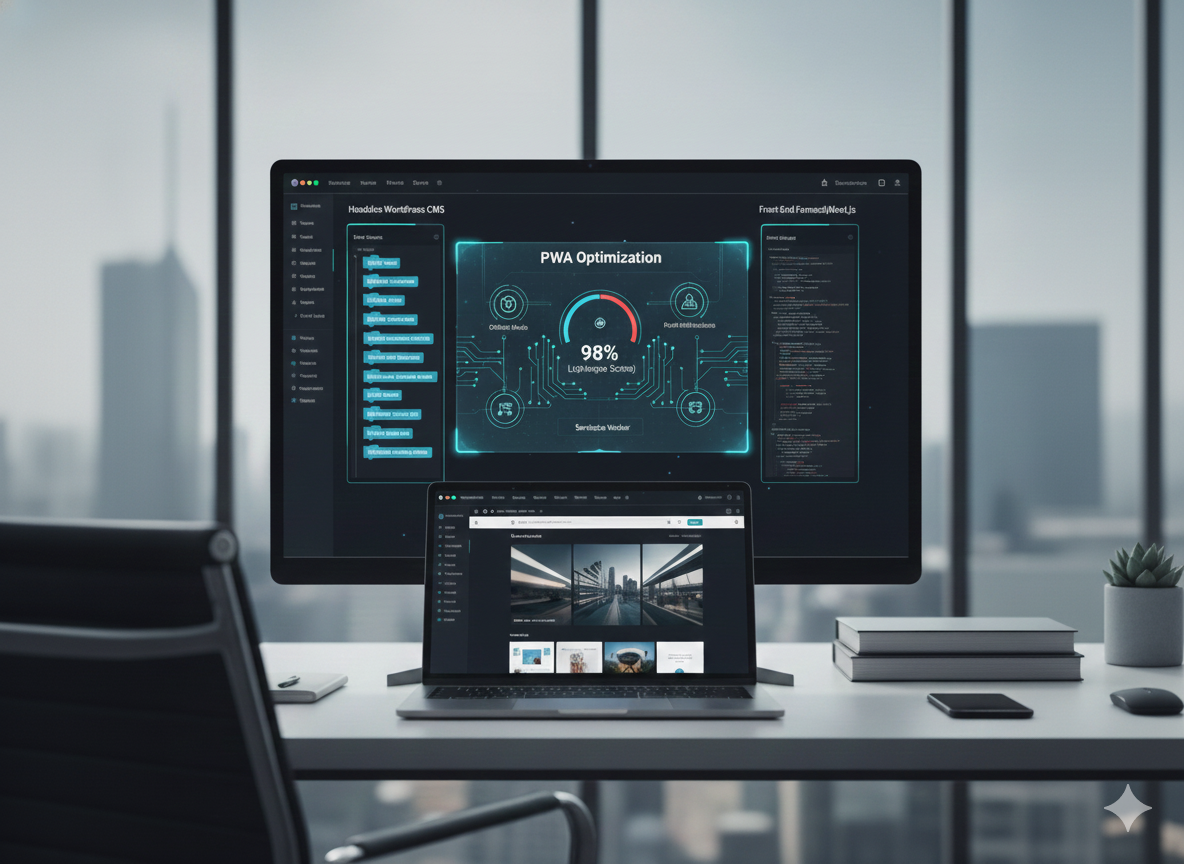
But here’s where it gets interesting. Traditional WordPress handles both your content management and your website’s presentation. With a headless WordPress website, we separate these functions. WordPress becomes your powerful content hub (the backend), while modern JavaScript frameworks like React or Next.js handle what visitors see (the frontend). This separation creates lightning-fast experiences that keep visitors engaged.
Think of it like this: WordPress manages your projects, case studies, and blog posts behind the scenes, while your progressive web app frontend delivers everything with app-like smoothness. Your clients get a responsive, interactive experience that works flawlessly on any device, even with spotty internet. This modern approach is revolutionizing how professionals showcase their work online.
The Real-World Impact
When YAAM Web Solutions helps clients transition to this modern architecture, we consistently see 60-70% improvements in load times. That’s not just a number—it directly translates to more inquiries, longer visit durations, and better conversion rates. For a freelance service website competing for attention, these metrics make all the difference. Every project we build demonstrates the power of this approach.
Understanding the Architecture: Headless WordPress Explained for Your Portfolio
Don’t let the term “headless” intimidate you. The concept behind creating a performance-optimized portfolio site is simpler than you might think. In traditional WordPress, everything’s bundled together—your database, content management, themes, and the final presentation layer. With headless architecture, we decouple the “head” (the presentation layer) from the “body” (the content management system).
Here’s how this works in practice:
The Backend: WordPress remains your content powerhouse. You still get the familiar dashboard, easy content editing, and robust plugin ecosystem. All your portfolio pieces, project descriptions, and blog posts live here.
The API Layer: WordPress’s REST API or GraphQL acts as the bridge, delivering your content as structured data. This is where the magic happens—instead of WordPress generating HTML pages, it simply provides your content in a format modern frameworks love.
The Frontend: A Progressive Web App built with frameworks like React, Vue.js, or Next.js consumes this content and renders it beautifully. This is where your mobile-first web design comes to life with smooth animations, instant page transitions, and that coveted app-like feel.
The beauty of this best headless CMS for portfolio websites approach? You get WordPress’s content management simplicity paired with cutting-edge frontend performance. It’s like having your cake and eating it too. Every project we build at YAAM Web Solutions uses this proven architecture.
Performance Benefits That Actually Matter
Speed isn’t just about impressing visitors (though that helps). Google’s algorithm heavily weighs Core Web Vitals when ranking sites. A fast loading WordPress website directly impacts your visibility in search results. This is why building with modern technology is crucial for success.

Real Performance Wins
Instant Page Loads: With a PWA portfolio website, subsequent page visits feel instantaneous. The service worker caches assets and content, meaning users don’t wait for servers to respond. Click a project, and boom—it’s there. This is the magic of properly configured architecture.
Offline Functionality: Lost signal in an elevator? Your portfolio still works. This might seem minor until you realize clients might review your work in subway tunnels, airplanes, or rural areas with poor connectivity.
Reduced Server Load: Because your frontend is static (or pre-rendered), it can be served from CDNs globally. No more slow database queries for every visitor. This makes your site inherently more scalable and cost-effective.
Better Mobile Experience: Traditional WordPress themes often struggle with mobile optimization. A properly built progressive web app is mobile-first by design, ensuring perfect experiences across all screen sizes.
The Numbers Don’t Lie
Research shows that a one-second delay in page load time can reduce conversions by 7%. For a freelancer charging $5,000 per project, that’s $350 lost per potential client who bounces. When you optimize WordPress website speed and performance through modern architecture and PWA capabilities, you’re directly protecting your revenue. Every project should prioritize these metrics.
Mobile-First Web Design: Why It’s Non-Negotiable in 2025
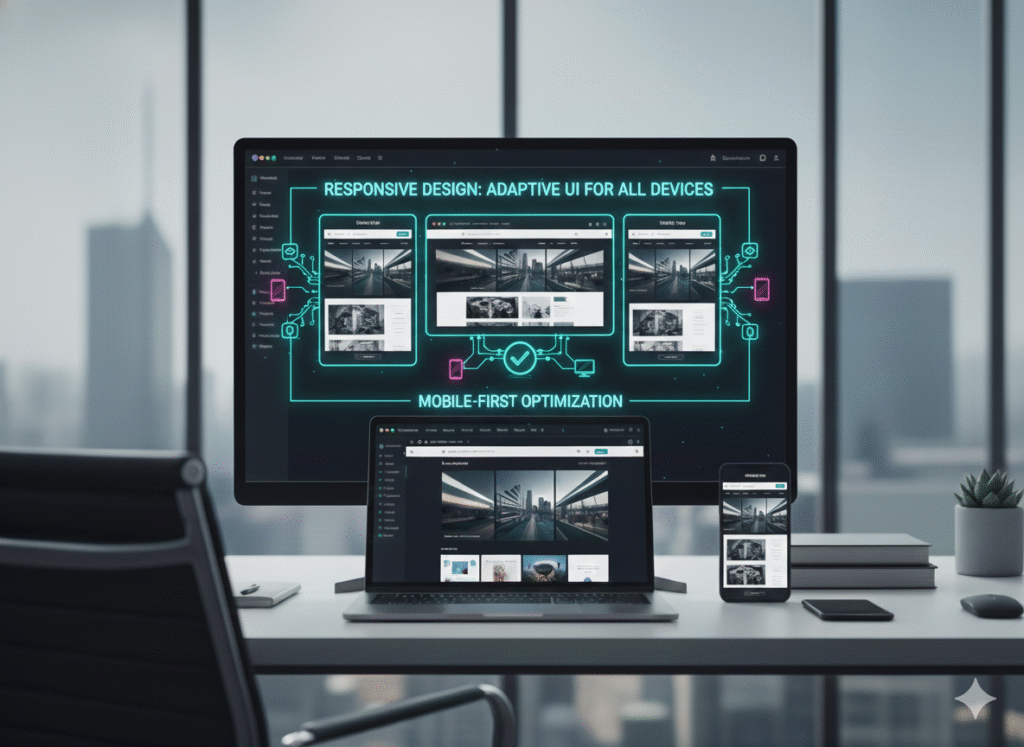
Over 60% of web traffic now comes from mobile devices. If you’re designing your portfolio on a desktop and then hoping it “works okay” on phones, you’re doing it backwards. Mobile-first web design means starting with the smallest screen and building up.
Practical Mobile-First Strategies
Touch-Friendly Interfaces: Buttons need proper spacing. Navigation should be thumb-accessible. Your interactive and responsive portfolio website should feel natural to tap and swipe, not like you’re trying to precision-click with a finger.
Content Hierarchy: On mobile, space is premium. Your most important information—your best work, contact methods, unique value proposition—needs to be immediately visible. Save the lengthy “about me” story for users who scroll or visit from desktop. A well-designed site prioritizes content intelligently.
Performance First: Mobile connections are often slower and more expensive than WiFi. Your lightweight website for small businesses approach means aggressive image optimization, lazy loading, and efficient code. Every kilobyte matters when building modern websites.
Progressive Enhancement: Start with a solid, functional experience that works everywhere. Then add enhancements for capable devices. Your site should never require the latest iPhone to function properly.
Step-by-Step: Building Your Modern Portfolio
Ready to build? Here’s how to create a fast PWA website using WordPress without getting overwhelmed.
Phase 1: Set Up WordPress as Your Content Hub
Start with a clean WordPress installation—preferably on quality hosting that supports the REST API. You won’t need a traditional theme since WordPress is only managing content.
- Install WordPress on reliable hosting (we recommend hosts specializing in headless setups)
- Configure REST API to ensure it’s accessible and properly secured
- Set up Custom Post Types for your portfolio pieces, case studies, testimonials
- Add Advanced Custom Fields (ACF) to structure your content properly
- Implement authentication to keep your API secure while allowing your frontend access
Phase 2: Build Your PWA Frontend
Choose your framework wisely. Next.js is excellent for static generation and SEO. React gives you flexibility. Gatsby is purpose-built for this architecture.
Essential Features to Implement:
- Service Workers: These enable offline functionality and smart caching
- Web App Manifest: Makes your site installable on mobile home screens
- Responsive Images: Use next-gen formats (WebP, AVIF) with proper sizing
- Code Splitting: Load only what’s needed for each page
- Lazy Loading: Defer images and components until they’re needed
Phase 3: Connect Everything
Your frontend needs to fetch content from WordPress. Using GraphQL with tools like WPGraphQL provides efficient data fetching—you request exactly what you need, nothing more.
// Example: Fetching portfolio items
const query = `
  query GetPortfolio {
    portfolioItems {
      nodes {
        title
        featuredImage { sourceUrl }
        customFields { clientName projectType }
      }
    }
  }
`;
Phase 4: Deploy and Optimize
Deploy your frontend to services like Vercel, Netlify, or Cloudflare Pages. These platforms are optimized for static and server-rendered apps, offering global CDN distribution automatically.
For comprehensive guidance on building scalable service websites with WordPress, check out our web development services where we walk clients through this entire process.
SEO-Friendly Mobile-First Web Design Tips
Here’s a concern I hear constantly: “Won’t a JavaScript-heavy PWA hurt my SEO?” Not if you do it right. Modern frameworks support server-side rendering (SSR) or static site generation (SSG), meaning search engines receive fully-rendered HTML.
Critical SEO Considerations
Server-Side Rendering: Next.js and similar frameworks render your pages on the server first, sending complete HTML to visitors and search bots. This solves the traditional JavaScript SEO problem.
Structured Data: Implement JSON-LD structured data for your portfolio items. This helps Google understand your content and can earn you rich snippets in search results.
Core Web Vitals: Your site should excel at Largest Contentful Paint (LCP), First Input Delay (FID), and Cumulative Layout Shift (CLS). These directly impact rankings.
Meta Management: Don’t forget basics like unique titles, descriptions, and Open Graph tags for social sharing. Tools like Next SEO make this straightforward.
Internal Linking: Connect related projects and blog posts strategically. Search engines use internal links to understand site structure and content relationships.
For more on modern WordPress design trends 2025 and how they impact search visibility, explore additional resources on headless CMS tutorials for beginners.
Scalability and Future-Proofing Your Portfolio
A scalable portfolio website isn’t just about handling traffic spikes (though that’s nice). It’s about adapting as your business grows without rebuilding everything from scratch.
Why Headless Architecture Scales Beautifully
Add New Frontends: Want a mobile app later? Your WordPress backend already provides the API. Build your app without touching your existing site.
Integrate New Technologies: As new JavaScript frameworks emerge, you can rebuild your frontend while keeping all your content intact in WordPress.
Multiple Properties: Running both a portfolio and a blog? Both can pull from the same WordPress installation while maintaining distinct designs and user experiences.
Team Collaboration: Designers work on the frontend. Content creators work in WordPress. Nobody steps on each other’s toes.
Modern Portfolio Website Ideas for Freelancers
Your portfolio should reflect your unique approach while remaining functional. Here are approaches that work well with PWA and headless architectures:
Case Study Focus: Instead of just showing finished work, tell the story. Document your process, challenges, and solutions. Interactive elements like before/after sliders or animated reveals work beautifully in PWAs.
Interactive Galleries: Use touch gestures, smooth transitions, and lazy loading to create engaging project showcases that don’t compromise performance.
Built-In Blog: Share knowledge through articles. This benefits SEO while establishing expertise. With headless WordPress, your blog seamlessly integrates with your portfolio.
Social Proof Integration: Pull in real testimonials, live tweet walls, or client logos dynamically. Keep everything fresh without manual updates.
Contact Forms That Convert: Smart forms with conditional logic, file uploads for briefs, and instant confirmation emails—all possible with modern form solutions.
Optimizing WordPress Website Speed and Performance
Speed optimization never stops. Even with headless architecture, there’s always room for improvement.
Backend Optimization
Database Cleanup: Regular maintenance keeps WordPress snappy. Remove post revisions, spam comments, and transient data.
Caching Strategies: Use object caching (Redis or Memcached) to speed up WordPress’s backend operations.
Image Management: Compress uploads automatically and serve responsive image sizes through WordPress.
Limit Plugins: Just because you’re using headless doesn’t mean plugin bloat won’t slow down your API responses.
Frontend Optimization
Critical CSS: Inline critical styles to render above-the-fold content instantly.
Font Loading: Use font-display: swap and subset fonts to include only necessary characters.
Third-Party Scripts: Lazy load analytics, chat widgets, and other external scripts that aren’t immediately necessary.
Resource Hints: Use preconnect, dns-prefetch, and preload to optimize how browsers fetch resources.
Learn more about modern approaches to website performance from web development insights by industry experts.
Common Mistakes to Avoid
Let’s talk about pitfalls I’ve seen derail projects:
Over-Engineering: Don’t build complex systems if simple ones work. Not every portfolio needs GraphQL and advanced caching. Start simple, scale when needed.
Ignoring Content Strategy: No amount of technical prowess saves poor content. Before building anything, know what you’re showcasing and why it matters to potential clients.
Neglecting Testing: Test on real devices, not just browser dev tools. Performance in Chrome DevTools doesn’t always match a three-year-old Android phone on 3G.
Forgetting Accessibility: PWAs should be usable by everyone. Proper semantic HTML, ARIA labels, and keyboard navigation aren’t optional—they’re essential for reaching all potential clients.
Security Oversights: Exposing your entire WordPress REST API without authentication is asking for trouble. Secure sensitive endpoints and use proper CORS policies.
Frequently Asked Questions
What’s the main advantage of using headless WordPress for a portfolio?
A headless WordPress website gives you unmatched flexibility and performance. You get WordPress’s powerful content management combined with modern frontend technologies that deliver blazing-fast, app-like experiences. For portfolios, this means your work loads instantly, works offline, and creates memorable impressions that traditional WordPress sites simply can’t match.
Do I need coding skills to build a PWA portfolio with headless WordPress?
You’ll need some technical knowledge, particularly with JavaScript frameworks like React or Next.js. However, if you’re comfortable with HTML, CSS, and basic JavaScript, there are plenty of tutorials and starter templates to help. Alternatively, agencies like YAAM Web Solutions specialize in building these systems for clients who want results without the learning curve.
Will a PWA portfolio work well for SEO?
Absolutely, when built correctly. Using server-side rendering (SSR) or static site generation (SSG) ensures search engines receive fully-rendered HTML. Combined with proper meta tags, structured data, and optimized Core Web Vitals, these sites often outperform traditional WordPress in search rankings because of their superior speed and mobile experience.
How much does it cost to build a professional PWA portfolio?
Costs vary widely based on complexity and who builds it. DIY with existing templates might cost just hosting fees ($10-50/month). Custom development from agencies typically ranges from $3,000-15,000+ depending on features, design complexity, and integrations. The investment often pays for itself through improved client conversions and reduced bounce rates.
Can I convert my existing WordPress portfolio to a PWA?
Yes! You don’t have to start from scratch. Your existing WordPress content can remain unchanged—you’re simply building a new frontend that consumes it via the API. This means your blog posts, portfolio items, and media library all transfer seamlessly. The conversion process typically takes 2-4 weeks for a professional setup.
What’s the difference between a PWA and a mobile app?
PWAs run in web browsers but offer app-like features including offline functionality, push notifications, and home screen installation. Unlike native apps, PWAs don’t require app store approval or separate development for iOS and Android. They’re cheaper to build, easier to update, and accessible through simple URLs—perfect for portfolios where you want maximum reach with minimal friction.
Take Your Portfolio to the Next Level
Building a fast, modern PWA portfolio website using headless WordPress isn’t just following trends—it’s investing in a scalable, performance-optimized portfolio site that grows with your business. The combination of WordPress’s content management strength and progressive web app technology creates experiences that traditional portfolios simply can’t match.
Whether you’re a freelancer showcasing your latest work, an agency displaying client projects, or a creative professional building your personal brand, this architecture provides the foundation for success in 2025 and beyond. The web is moving toward faster, more app-like experiences, and this technology puts you at the forefront of that movement.
Ready to build a portfolio that converts visitors into clients? At YAAM Web Solutions, we specialize in creating high-performance, mobile-first web solutions that drive real business results. From SEO-friendly mobile-first web design to fully interactive portfolio websites, our team has the expertise to bring your vision to life.
Explore our comprehensive services or get in touch to discuss how we can build your perfect PWA portfolio. Your future clients are searching right now—make sure they find a portfolio that wows them from the first click.
This article is brought to you by YAAM Web Solutions, a leading web design and development agency specializing in modern, performance-driven websites for businesses and professionals throughout Jammu, Kashmir, and beyond.



The CBD amassment – mood gummies thc offers a variety of formats that please singular preferences, and each one feels intimately executed. The oil appears unsoiled and in conformance, the packaging materials sensible of sturdy, and the layout is uninvolved besides elegant. The products are easy to store and go with, thanks to make fast lids and thick sizing. Total, the brand delivers a proficient and carefully crafted experience without unrequired extras.
The CBD amassment – https://www.tillmanstranquils.com/collections/thc-gummies-delta-9 offers a assortment of formats that please different preferences, and each harmonious feels grandly executed. The unguent appears unsoiled and consistent, the packaging materials sensible of heavy-duty, and the connivance is lucid yet elegant. The products are quiet to stock and fraternize with, thanks to obvious lids and compact sizing. Total, the brand delivers a outstanding and carefully crafted feel without surplus extras.
Thank you for your sharing. I am worried that I lack creative ideas. It is your article that makes me full of hope. Thank you. But, I have a question, can you help me? https://www.binance.com/ph/register?ref=IU36GZC4
I don’t think the title of your article matches the content lol. Just kidding, mainly because I had some doubts after reading the article. https://accounts.binance.bh/register/person?ref=JW3W4Y3A
Can you be more specific about the content of your article? After reading it, I still have some doubts. Hope you can help me.
Thank you for your sharing. I am worried that I lack creative ideas. It is your article that makes me full of hope. Thank you. But, I have a question, can you help me?
The CBD store – hybrid gummies high offers a multifariousness of formats that suit exceptional preferences, and each a certain feels well executed. The lubricant appears blameless and compatible, the packaging materials discern heavy-duty, and the fashion is unostentatious besides elegant. The products are foolproof to inventory and travel with, thanks to make fast lids and thick sizing. Total, the kind delivers a polished and carefully crafted feel without unrequired extras.
I don’t think the title of your article matches the content lol. Just kidding, mainly because I had some doubts after reading the article.
Your article helped me a lot, is there any more related content? Thanks!
I don’t think the title of your article matches the content lol. Just kidding, mainly because I had some doubts after reading the article.
Your point of view caught my eye and was very interesting. Thanks. I have a question for you.
Thanks for sharing. I read many of your blog posts, cool, your blog is very good.
Your point of view caught my eye and was very interesting. Thanks. I have a question for you. https://accounts.binance.bh/da-DK/register?ref=V3MG69RO
I don’t think the title of your article matches the content lol. Just kidding, mainly because I had some doubts after reading the article. bei binance anmelden
I don’t think the title of your article matches the content lol. Just kidding, mainly because I had some doubts after reading the article.
Thanks for sharing. I read many of your blog posts, cool, your blog is very good.
Thanks for sharing. I read many of your blog posts, cool, your blog is very good. https://www.binance.bh/register?ref=IXBIAFVY
Your article helped me a lot, is there any more related content? Thanks! https://www.binance.bh/register?ref=MBLCVVZG
Thanks for sharing. I read many of your blog posts, cool, your blog is very good.
Can you be more specific about the content of your article? After reading it, I still have some doubts. Hope you can help me. https://accounts.binance.bh/register/person?ref=L4EUT9FG
Can you be more specific about the content of your article? After reading it, I still have some doubts. Hope you can help me.
Thanks for sharing. I read many of your blog posts, cool, your blog is very good. https://accounts.binance.com/register/person?ref=IHJUI7TF
Your point of view caught my eye and was very interesting. Thanks. I have a question for you. https://accounts.binance.com/es-LA/register-person?ref=VDVEQ78S
Can you be more specific about the content of your article? After reading it, I still have some doubts. Hope you can help me.